Brian Vaughnbri@nvaughn.infoLinkedIn ↗@br___ian on X ↗Designer
I like asking what a thing wants to be, what shape lets a product serve the person using it most beautifully. Lately, I want to do that in software.
How long do you have for a portfolio right now?
← drag to look up the desk
01 / Independent research & prototyping
A Phone
That Cares
What would it look like for a phone
to actually care about you?
Four experiments, each exploring one question about the mobile phone. The first two are particularly interested in working with ‘addiction’, helping you loosen attentional feedback loops. The latter two shift towards asking: what active moves or interfaces could a phone offer to actively support you?
I’ve also written about this: What would it mean for a phone to care about you? ↗ and why phone makers don’t build this ↗
01 / Chrome extension
The Scroll Lab
Blur, grayscale, padding between tweets, regular font changes, and break cards. Each treatment changes the way stuff shows up without getting in the way of your feed. Gradual ramp-up defaults keep things from feeling like you’re punishing yourself.
How to install
Unzip, open chrome://extensions, turn on Developer mode, and choose Load unpacked. Works on x.com. Shares anonymous session metrics (never content) by default; turn off “Share anonymous data” in its settings.
02 / Android app
Offscreen
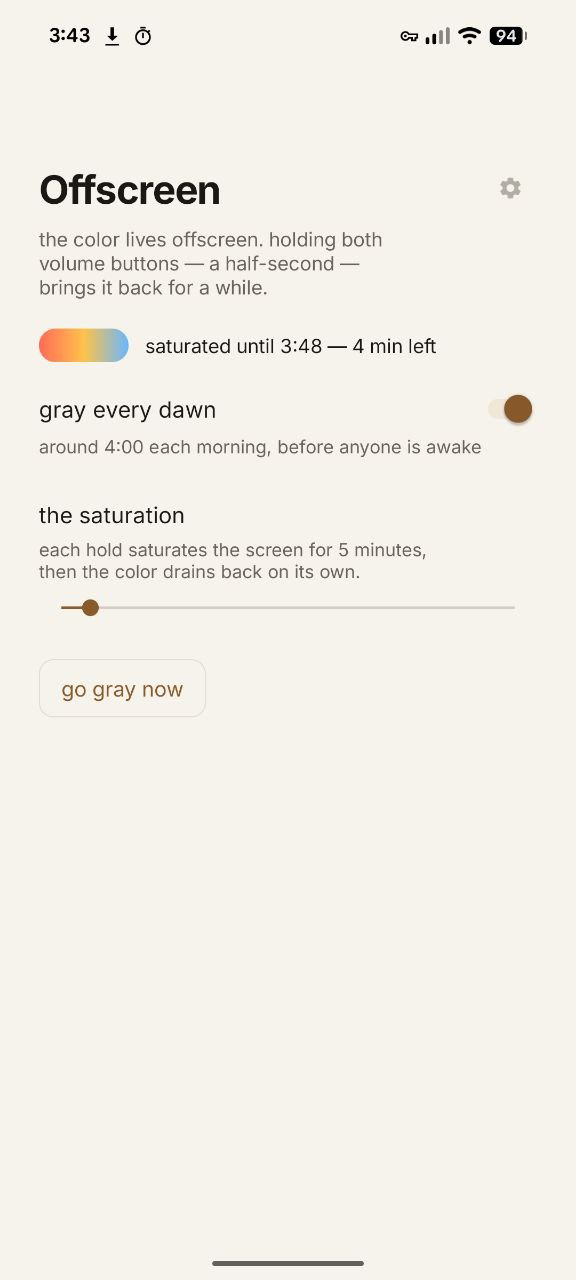
This app tries to point towards the richness of your world by making your phone a little less interesting.
Every morning at 4am, your phone’s display goes grayscale. Your apps still work, they just start out without color.
If a friend sends you baby photos or you want to browse Instagram, press both volume buttons for a half-second. Color flows back for 20 minutes, or however long you choose, before turning back to gray.
Set up on Android ↗Why not just use a restricted phone? I wrote about that here ↗
03 / Telegram companion
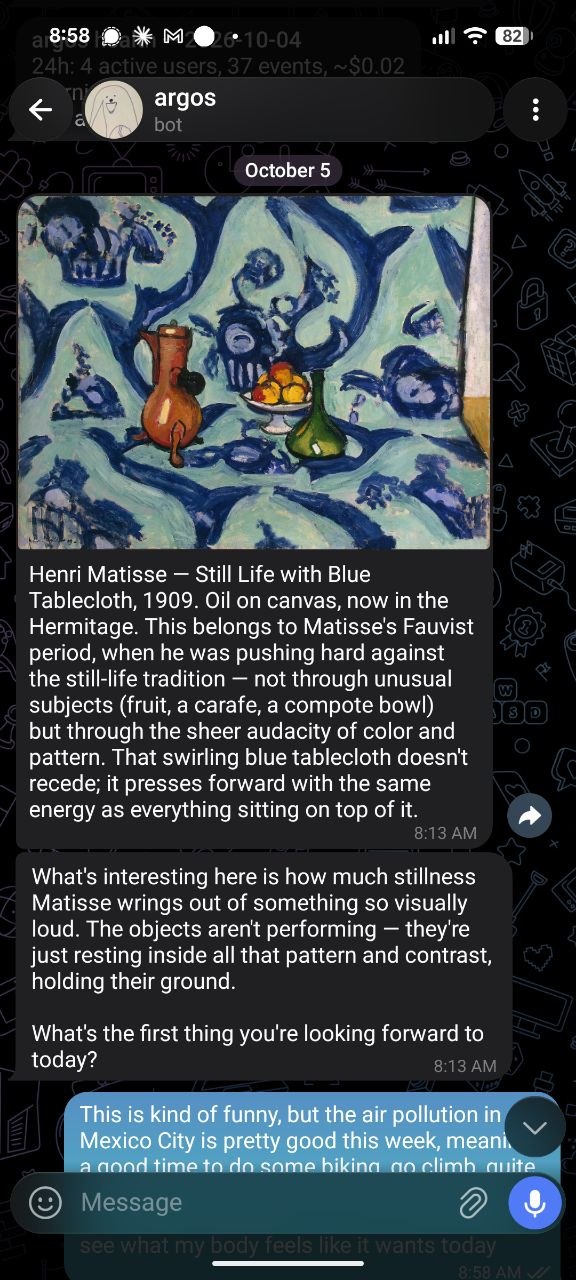
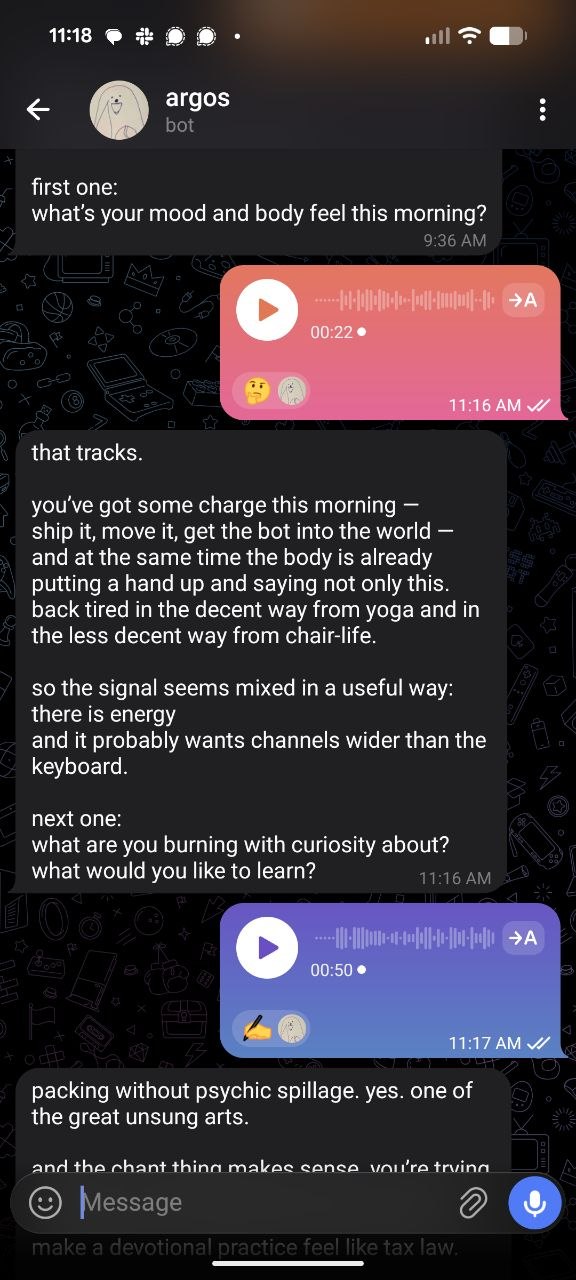
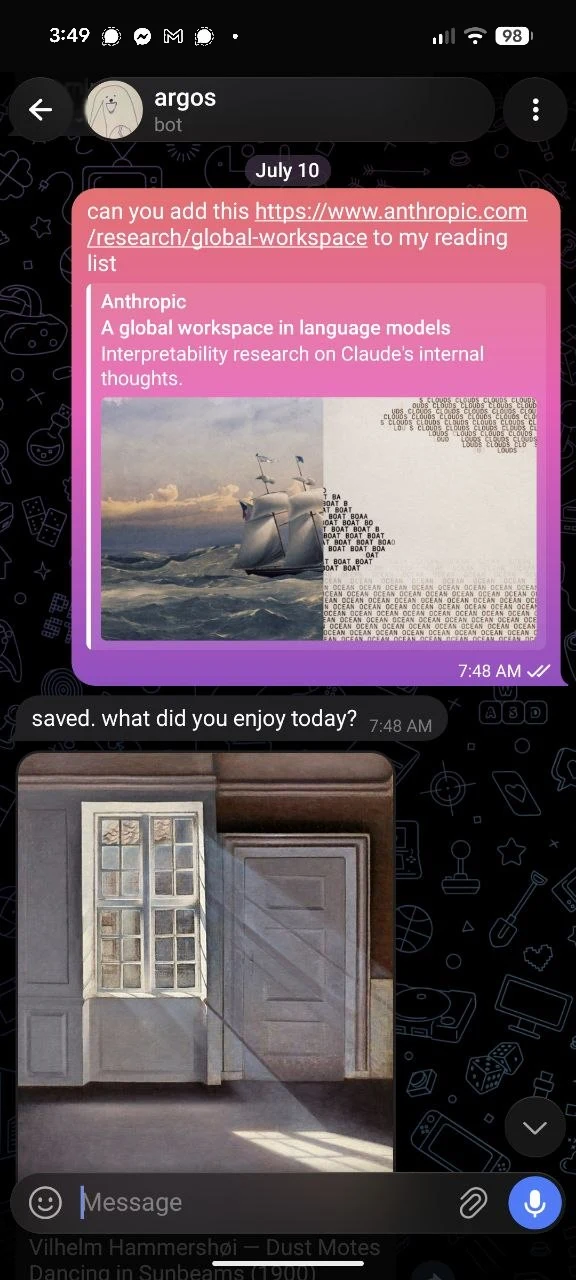
Argos the Telegram bot
Argos is an attempt to build a minimum viable personal assistant, one that gains capabilities as it knows more about you. Each morning it sends one short thing picked for you: art you might like, a poem, a bit of prose.
It acts as an active journal, and turns certain kinds of notes, like food journals, reading lists, and meditation reports, into structured records.
04 / Speculative phone OS
ArgOS
A concept for a phone operating system
built around all of this.
A phone OS concept with an interface shared across apps.
You can’t meaningfully change TikTok’s incentives. But if you control the phone, you can change how their content is presented and consumed.
ArgOS treats that layer as a design surface: a frame around the feed, a feed that gradually goes grayscale, a messaging app that helps you remember what someone cares about, or an AI layer that serves as the phone’s primary interface.
Open the concept on its own ↗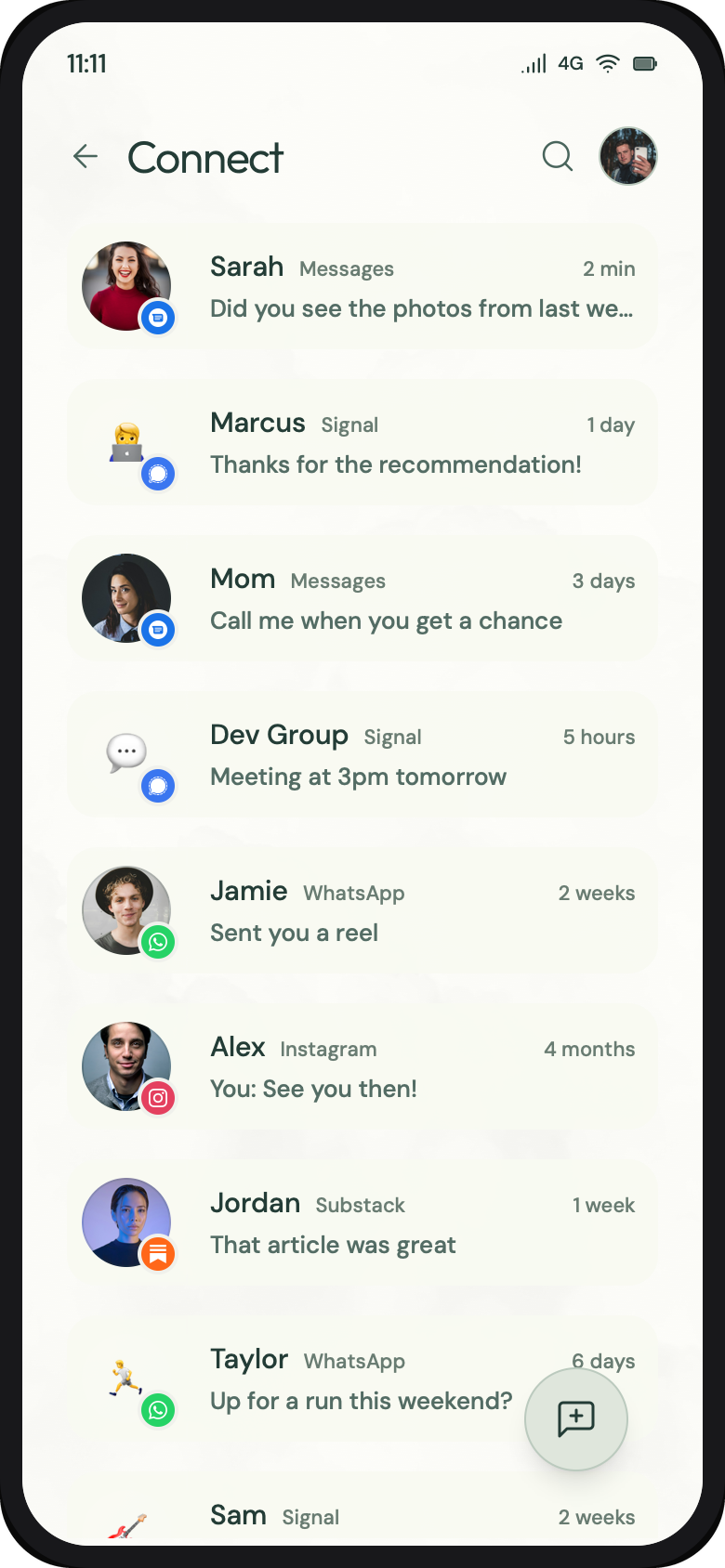
02 / Independent software · Public pilot · 2026
 ur notebook
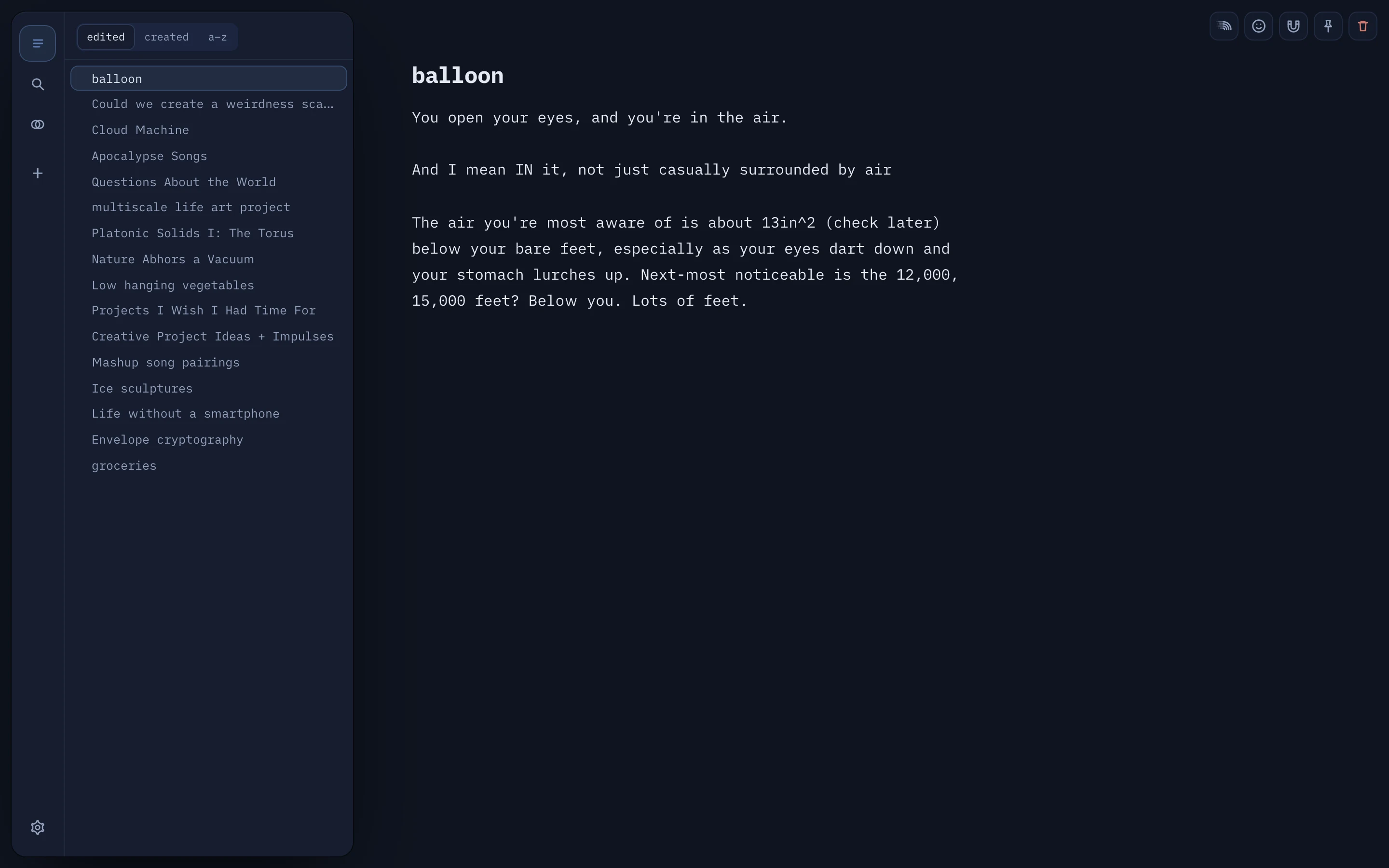
An unusually engaging notes app, made to make writing more fun. I designed and built it to explore the edges of what I can engineer with an LLM, and to see if I could make a working app that feels polished and complete.
- My work
- Design, product direction, and building it with AI coding tools
- State
- Working public pilot / October 2026
Your writing comes first
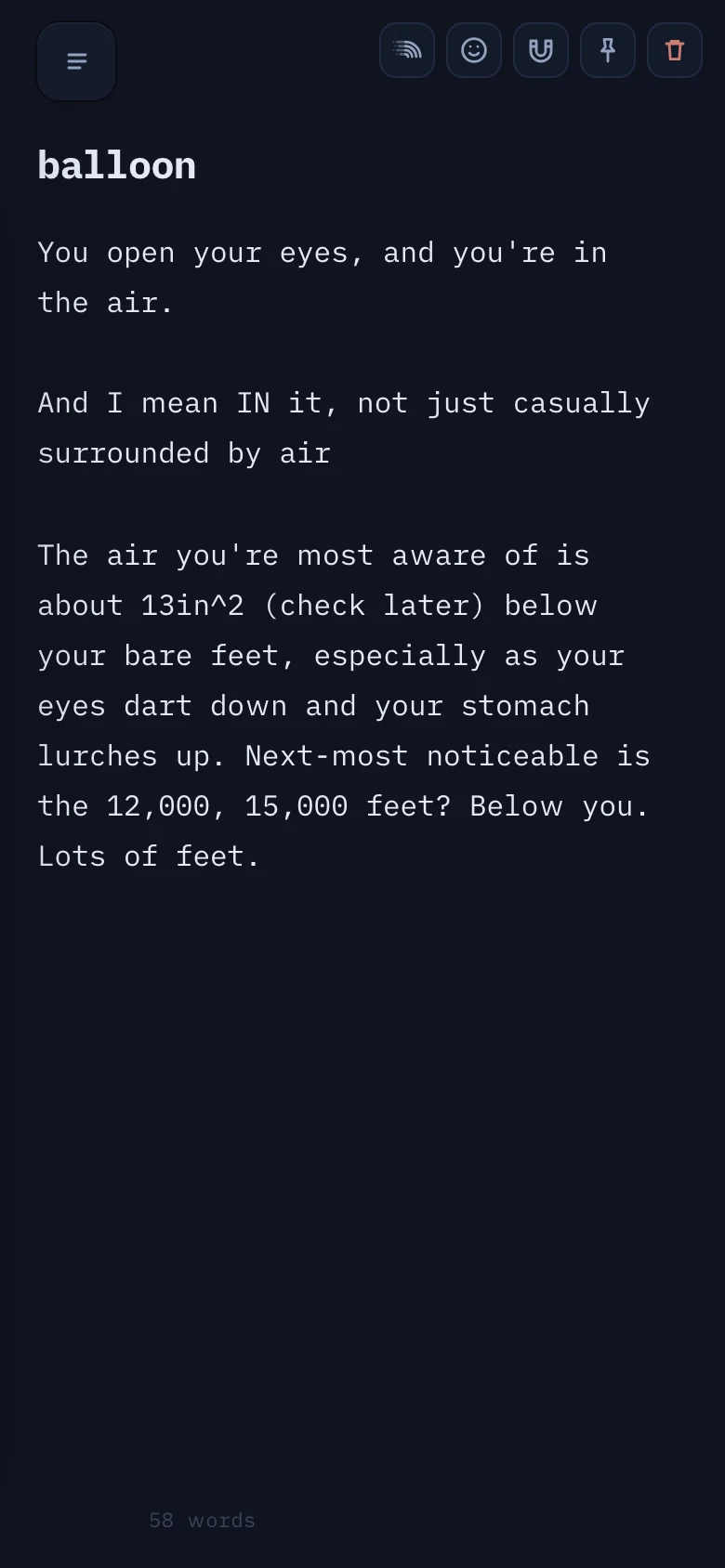
As you type, everything
else fades away
Move toward the controls, or tap on a phone, and they come back. You can set them to fade partway or all the way.
Underneath
All the basic notes app functions, and then some
Plain Markdown, ⌘K to jump between notes, search that opens the exact line, and the same notebook on your phone and laptop. It works offline.
Then, a little play
Writing that feels like something.
Make it yours
Change your notebook yourself.
ur notebook can hand you its own source, with a ready-made prompt, so you can reshape your notebook with an AI. Software you use every day should be yours to change.
Try the pilot ↗Role, engineering & project state
I set the product direction, designed the interface, and built it with AI coding tools. The pilot includes offline writing, an installable web app, password-based sync, recovery and device management. Sync is not end-to-end encrypted, and the app says so.
The notes shown are my own, plus one stand-in written for the demo (Evil Brian).
03 / JLab · Professional work · 2021–2026
JLab Mobile
JLab didn’t have an in-house app design team, and I wanted to try designing software. For my first software design project, I redesigned the company’s mobile app, added features for newer products, and made it much easier to connect. The app’s Google Play rating went from 1.7 to 4.2 stars, and it now has 1M+ downloads.
- My work
- Entire mobile app design
- Platform
- Android + iOS
The problem
What was actually going wrong
with the old app?
Few complaints in our reviews or support calls were about the app itself. Most came from people who couldn’t connect at all, either because their earbuds didn’t work with the app or because the pairing steps weren’t clear. So making the connection clear mattered even more than adding features.
★★★★★“most all your earbuds say anc but noooo only the “epic” ones you can use for [the app]”
JLab Sound · App Store review, Sep 2022 ↗This user is confused, and believes ANC has some meaning besides active noise canceling. The feature has nothing to do with the app.
Two goals, in order
1 · Making sure people could consistently get into the app
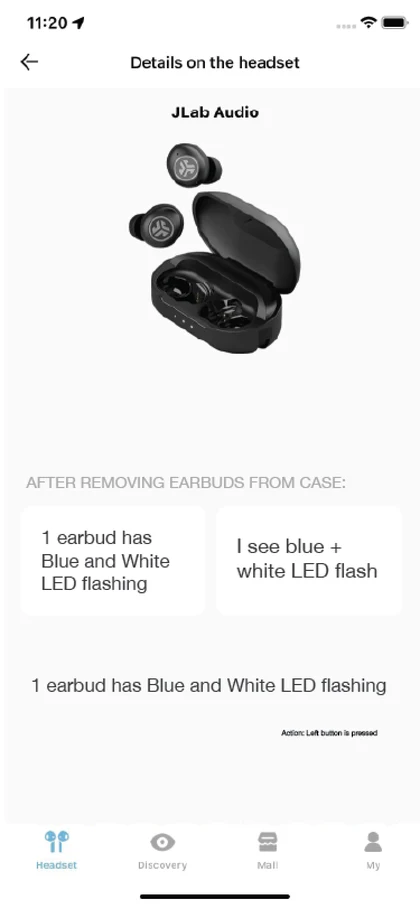
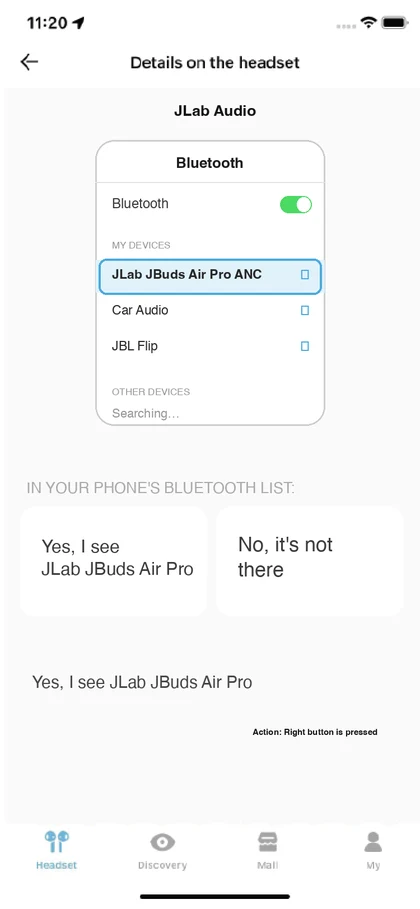
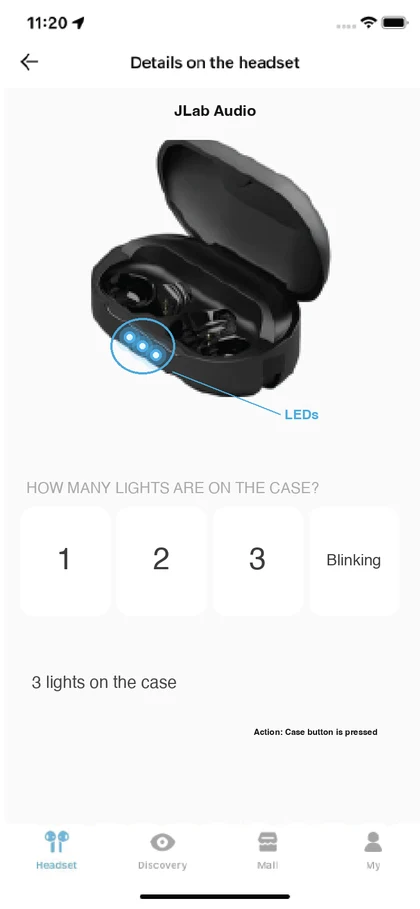
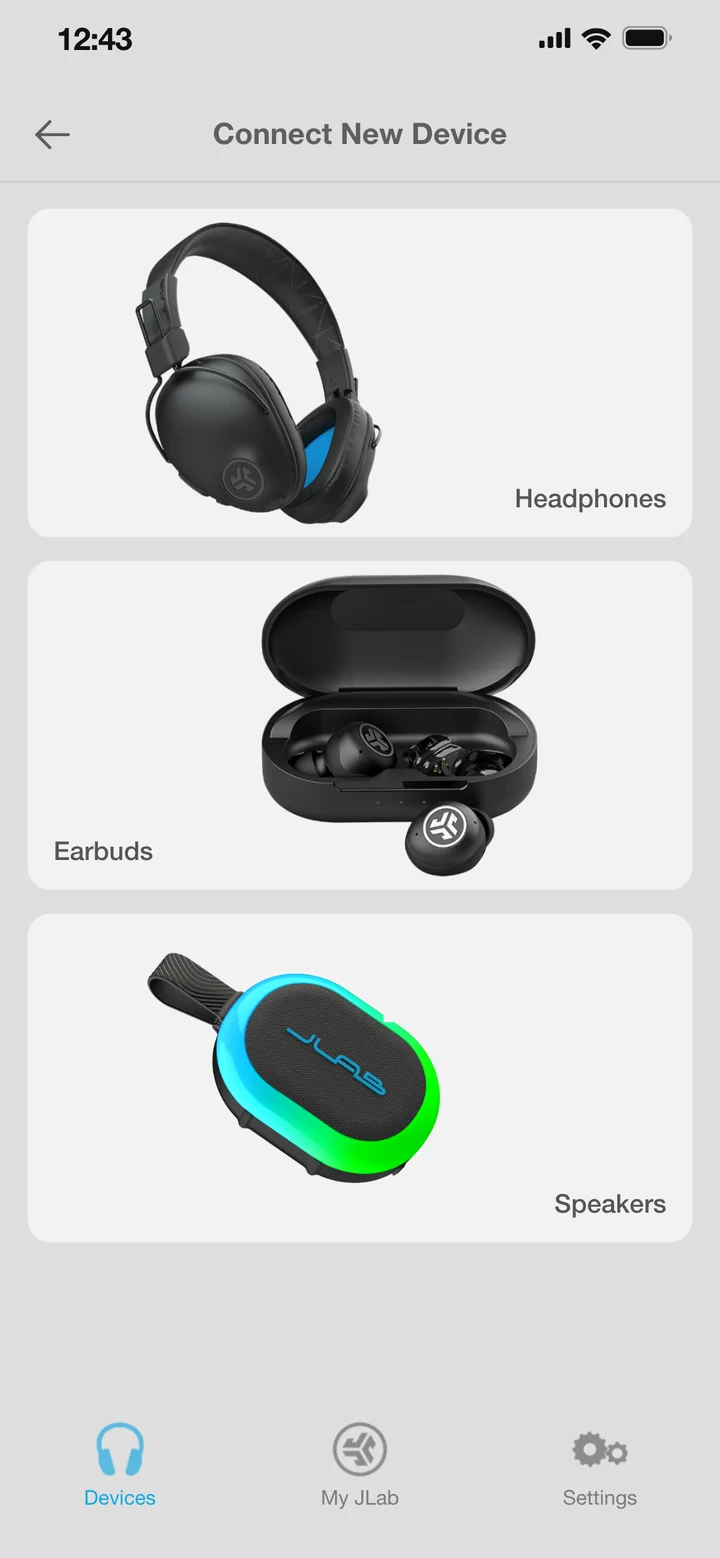
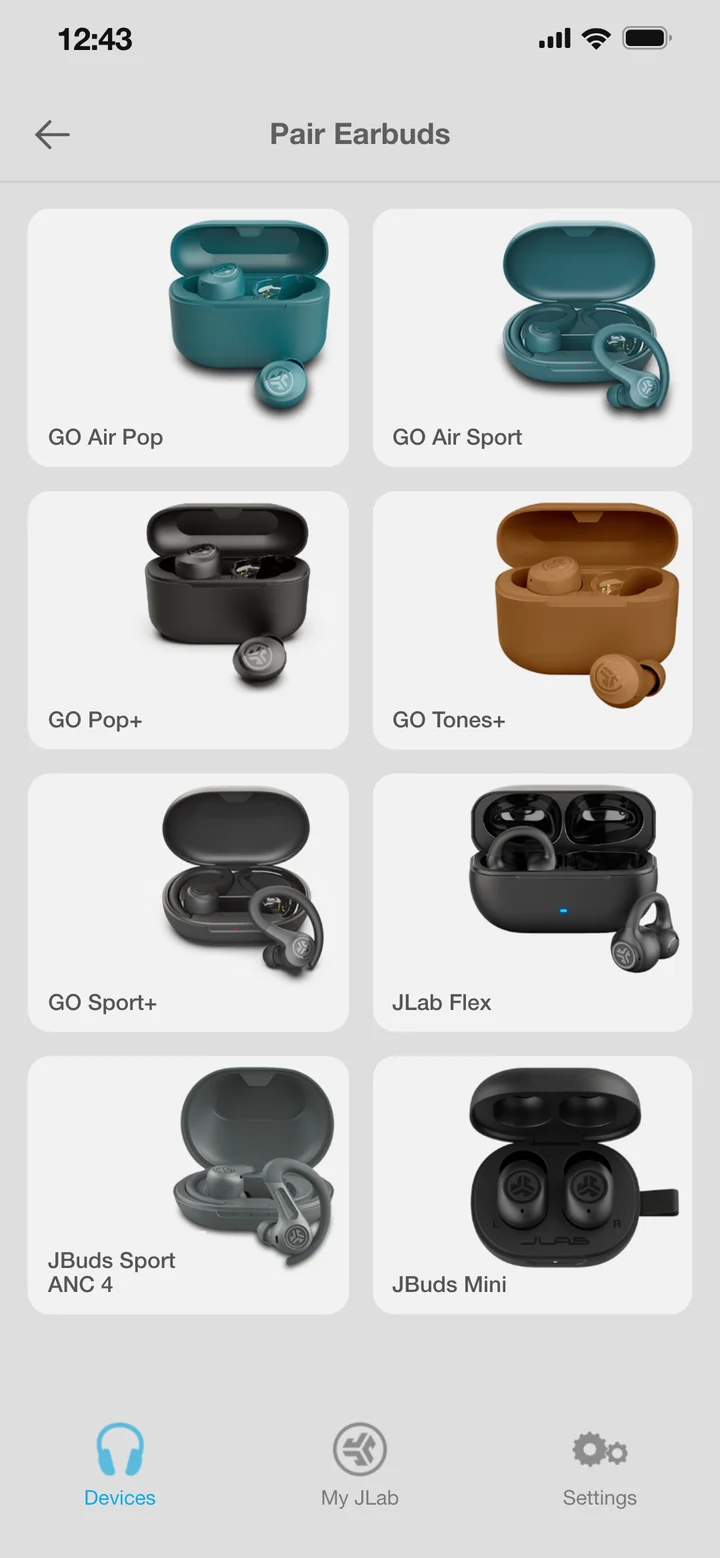
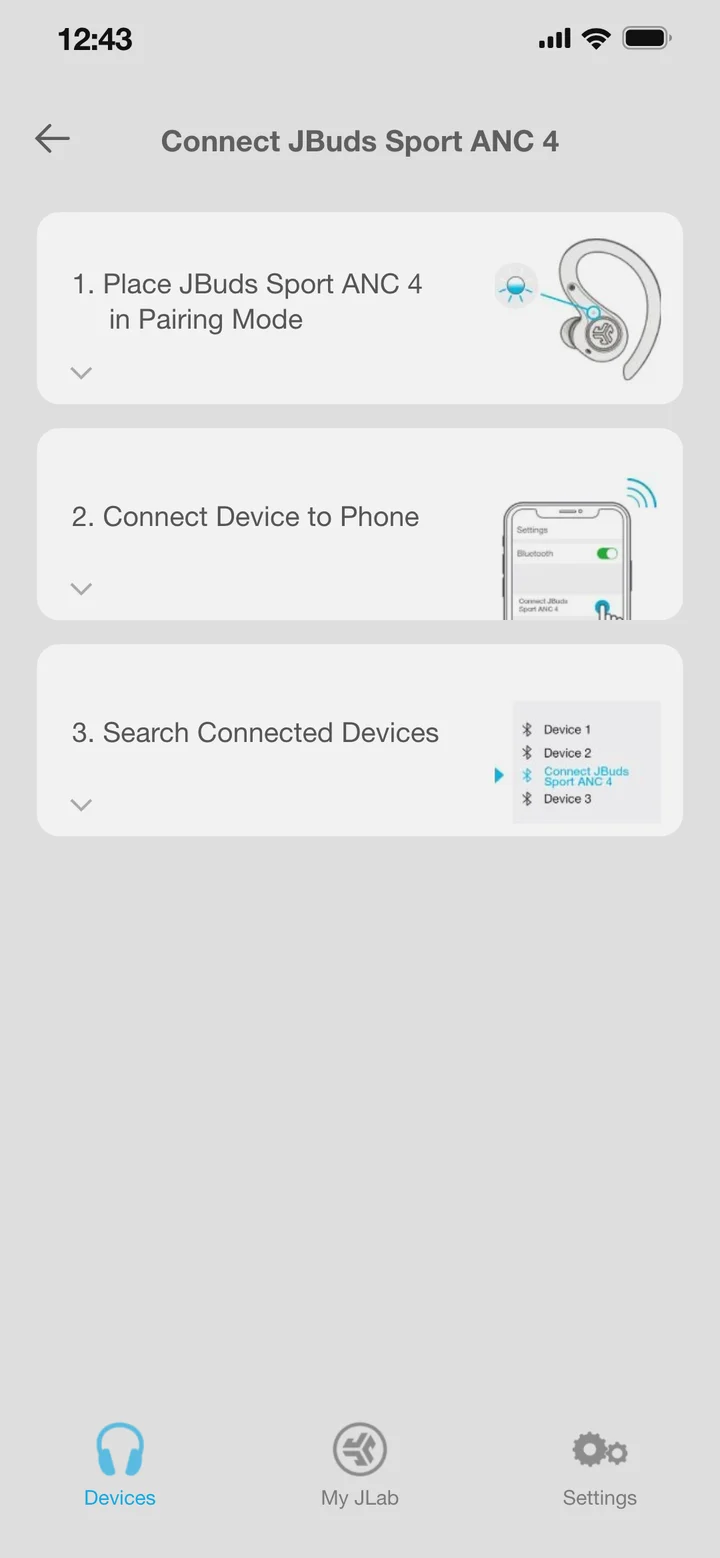
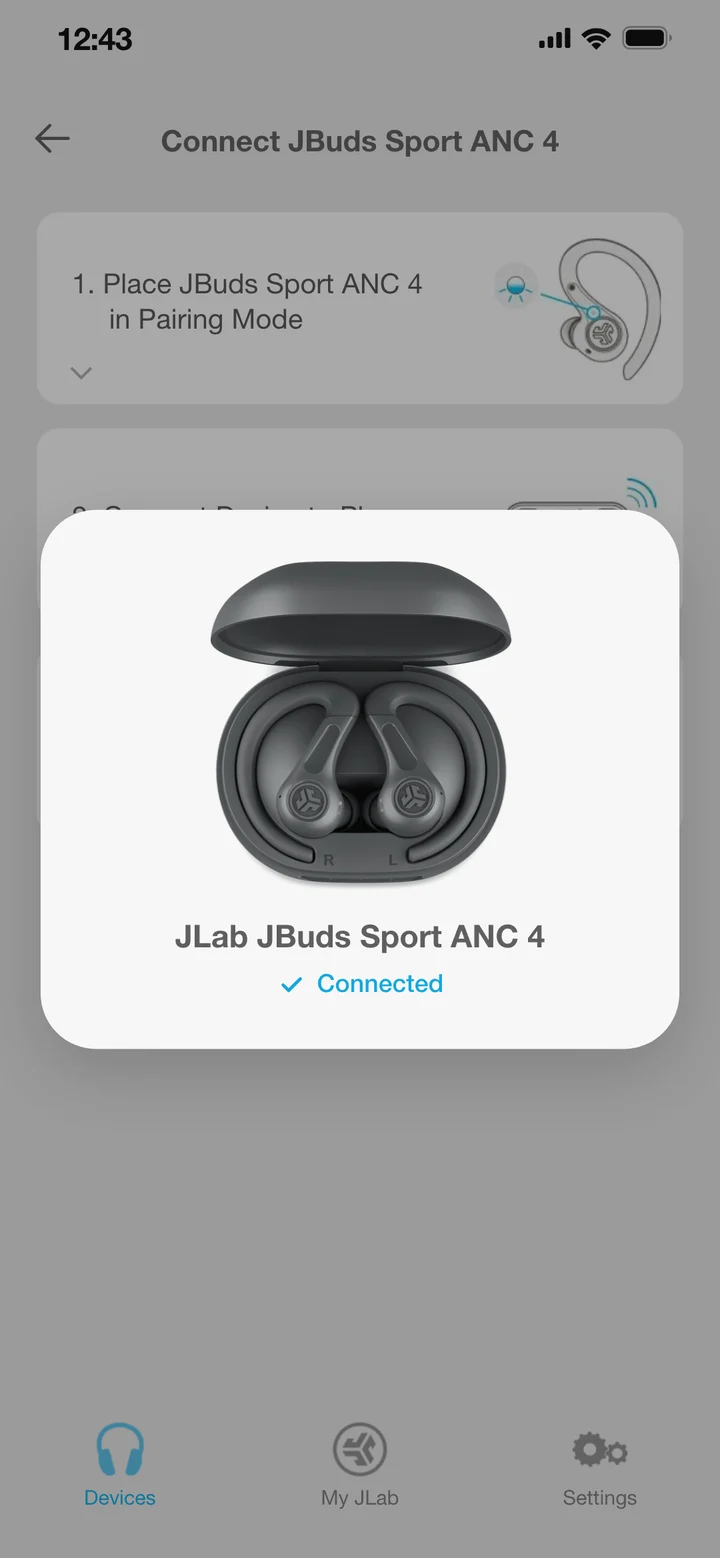
Pick your product and the app walks you through it. Each step opens to the specifics, like what the light should be doing and what to check if it isn’t.
2 · Making it look good once they got there
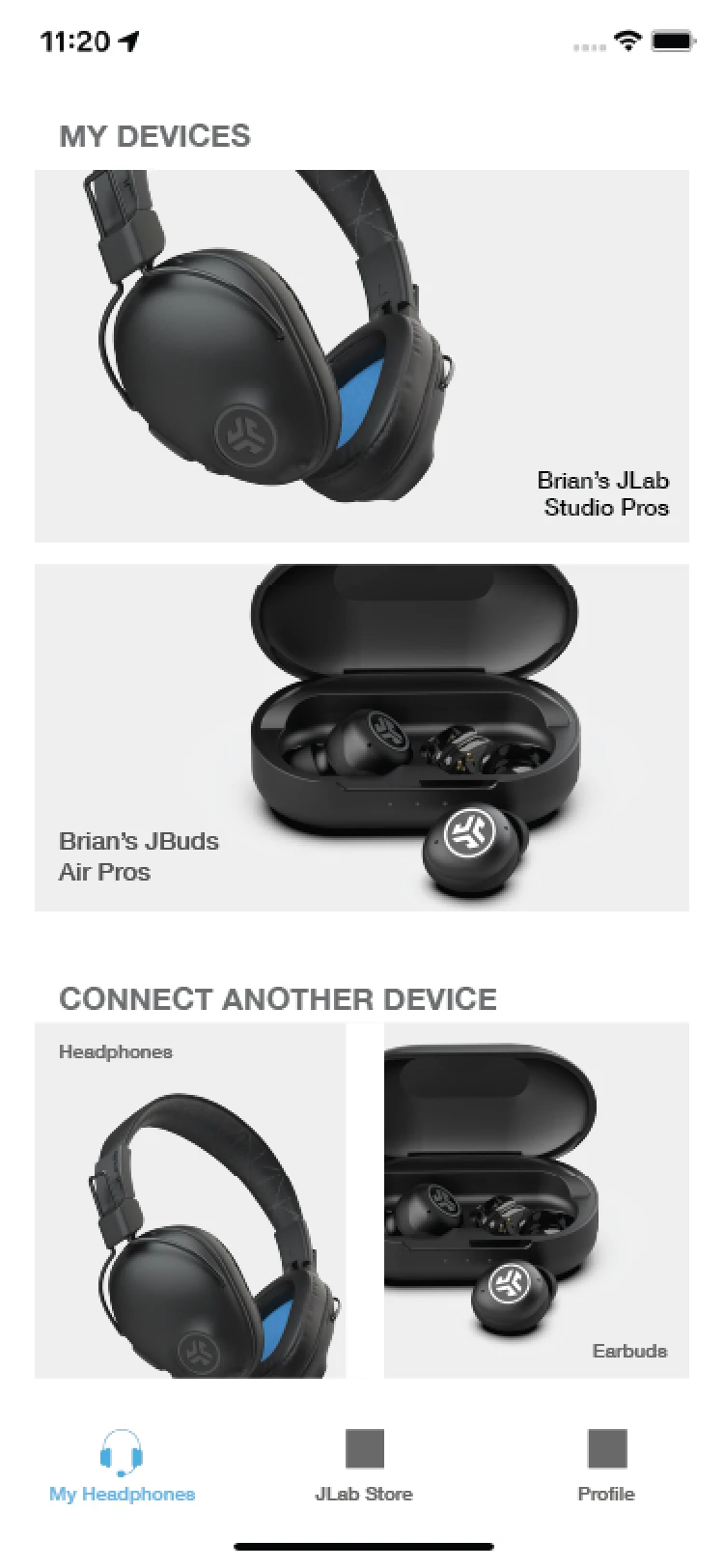
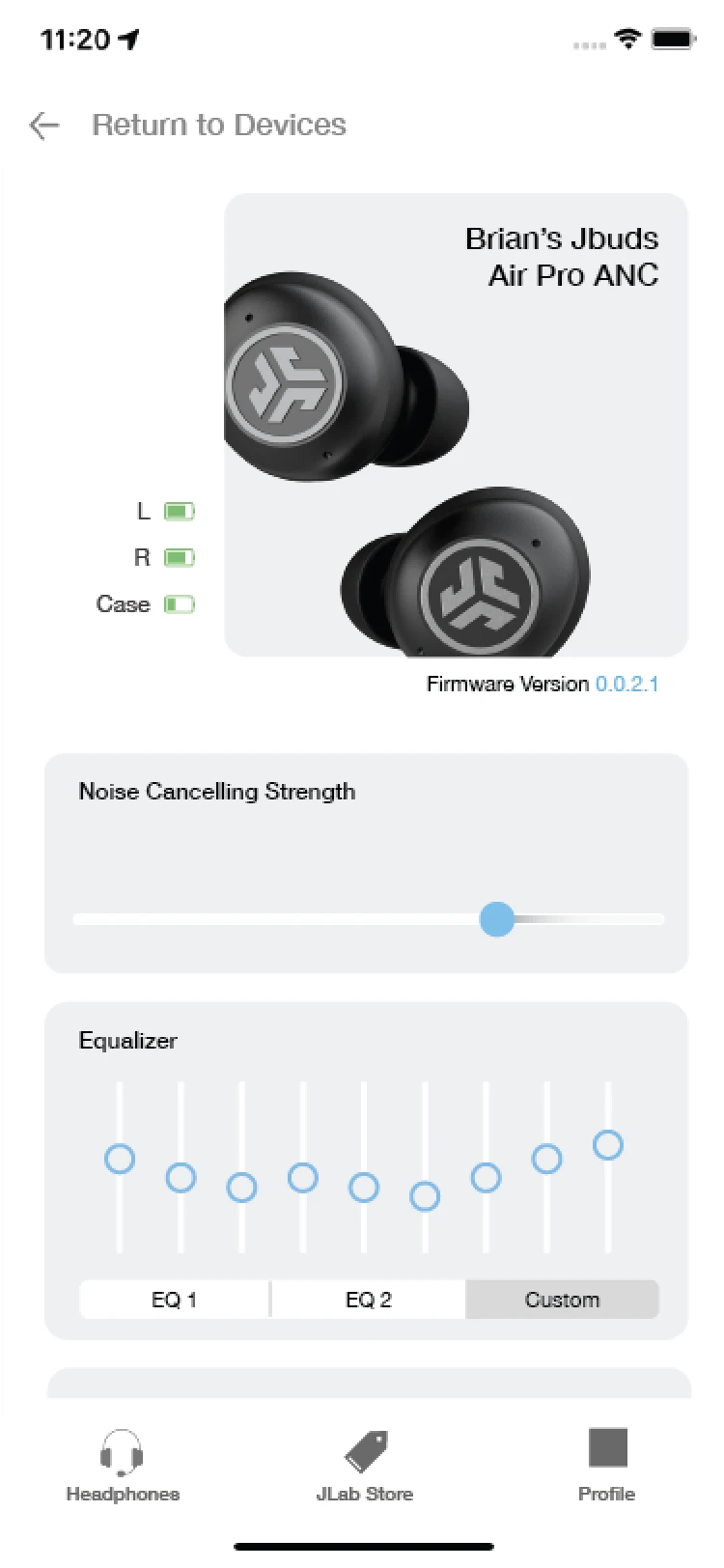
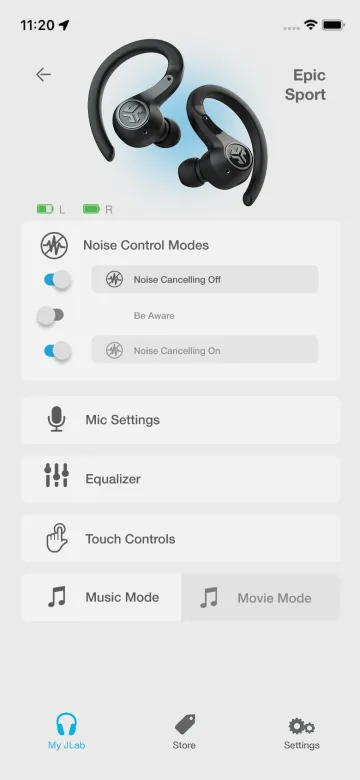 1 / 25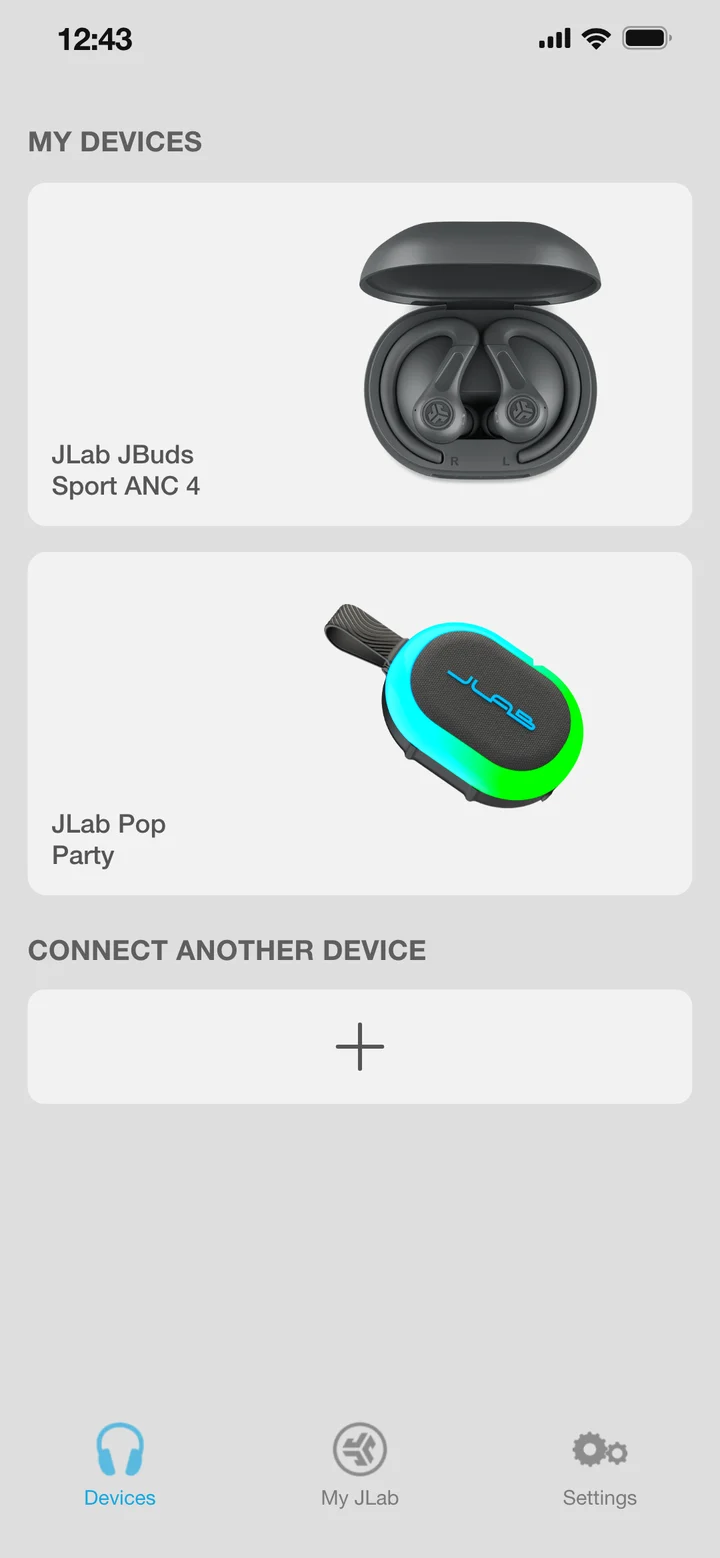
Try it
The current JLab app.
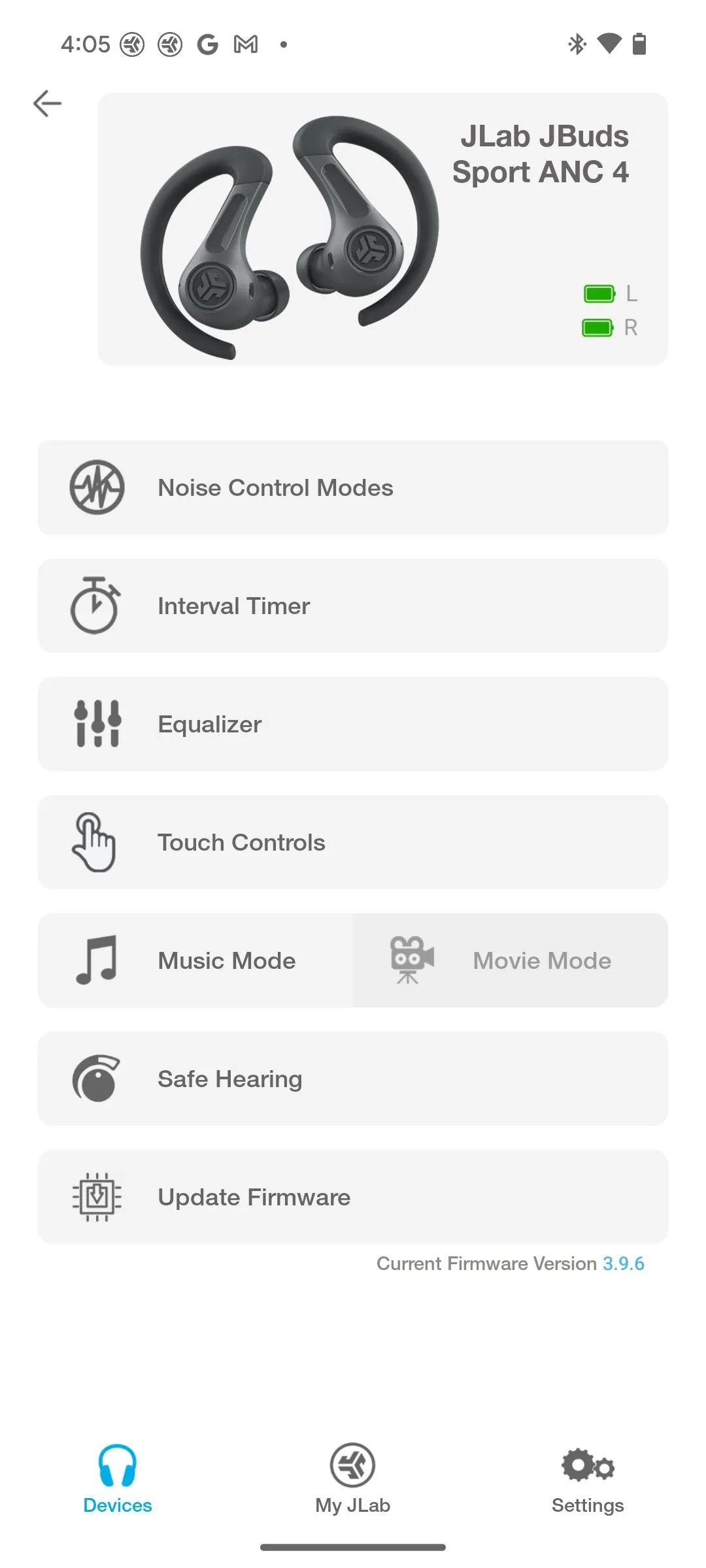
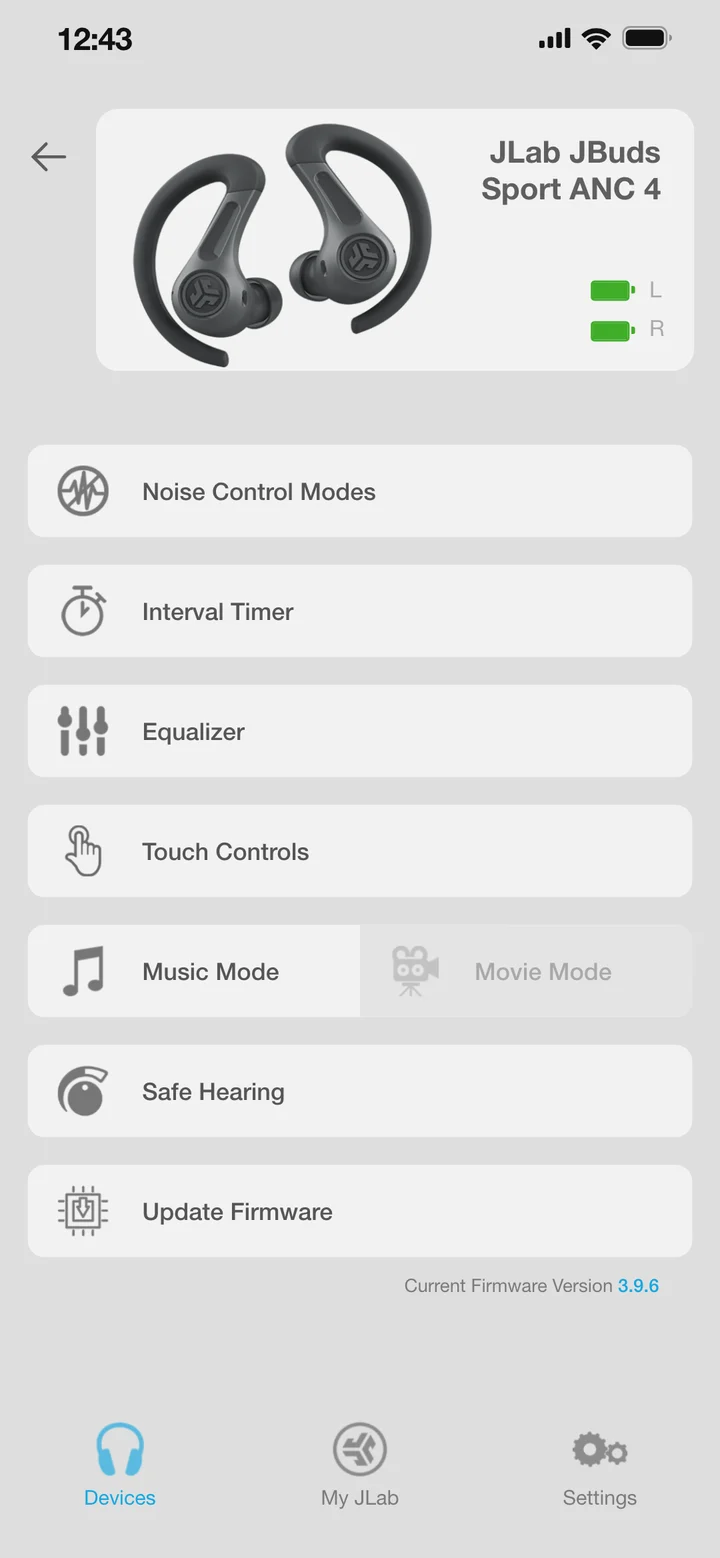
The redesign also brought in controls for our newer products: noise control, equalizer, touch settings, safe hearing, an interval timer, ambient sounds and speaker lighting. This one is already connected to a pair of JBuds Sport ANC 4 and a Pop Party speaker, so you can try them.
A clickable rebuild from my designs and the shipped app’s screens.
Open it on its own ↗The old Sound app was rated about 1.7★. The new app reached 4.2★ on Google Play while I was there, and it has 1M+ downloads.
Role & collaborators
I led industrial design on JBuds Sport ANC 4 and redesigned the JLab Mobile app. JLab’s product team and suppliers contributed to the hardware. An outside engineering consultancy implemented the Android and iOS apps. App specification and testing support came from Chris Jenkins; most product photography is by Trent Haaland.
04 / JLab · Professional work · 2021–2026
The Lab App
I designed JLab’s three new gaming lines, and then a desktop app to serve both them and our new work products. My goal was to include every setting a serious player expects, but never present more than a few choices at once.
- My work
- Industrial design / entire desktop app design
- Collaboration
- JLab product team, supplier engineering, specification and testing help from our PM Chris Jenkins
Two people open
the same app
The same app serves our gaming gear and our new work products. The mobile app had to be simple enough for a million downloads. This one also had to go deep. Standard gaming keyboard apps let you set how many millimeters a key travels before it fires, and we wanted to match the leading apps.
At the same time, it had to stay simple for the office worker who wants to remap three custom Excel functions and never open the app again.
Before. The app mine replaced. Every product that had ever been connected, whether it’s plugged in now or not.
Before. Changing one key: every command in one long list, then OK, then Apply.
After. Only what’s connected to your computer right now. Some of these have simple settings and some go deep, but you don’t need to know that while you’re choosing one.
After. Five groups of commands. Drag one onto the key. For someone with a work keyboard, that’s the whole app.
Working through the details
I worked through screen variants, control references, and implementation details.
The devices you connect decide how much detail you need
Mice
Keyboards
A UI that feels the same for all products
How we simplified the interface across every device.
Try the
working demo
My design for JLab’s desktop app, vibe coded so you can use it. Open a device, drag functions onto its controls, then press them.
If you try one thing: open the Daybreak keyboard and type on your own keyboard.
The feature that didn’t ship, so I made it myself
Our software contractors said my feature request was impossible. So I made my first vibe-coded project: I used GPT-4 to build Mac and PC applets that intercept your typing and swap in matching Unicode characters, giving the effect of a different “font” in any text box.
Fontshift
A little more expression in the places you already type.
Click, or use ⌥/Alt + arrows to cycle styles
Cursive
How it works
- A local keyboard event arrives.
- The active style maps the key to Unicode.
- A tagged synthetic event inserts the character into the destination app.
The native app uses a macOS event tap and Accessibility permission; secure fields and some apps can block synthetic typing.
Unzip, drag Fontshift (Unicode KB) to Applications, and open it. Enable Accessibility in System Settings → Privacy & Security → Accessibility, then reopen the app. Choose the style shortcut in settings; existing saved shortcuts can differ.
Designed for Apple silicon Macs with a US keyboard layout. Accessibility access lets the app transform typing; keystrokes stay on the Mac and aren’t stored. Styled Unicode can render differently across apps and can be harder for assistive technologies to interpret.
Role & collaborators
I led the industrial design of the JLab projects shown, from research and ideation through mockups, CAD, CMF, rendering, and packaging. The domestic product team provided guidance; supplier engineering teams handled much of the DFM and electrical engineering. I designed the apps, with specification and testing support from Chris Jenkins. Most product photography is by Trent Haaland.
The gaming devices and desktop interfaces are shown as related work within JLab’s product family. Individual screenshots identify the actual device whose controls are visible.
05 / Past work
Past work
JLab · 2021–2026
I was the primary designer on all of these except JBuds Protect. Detail and attribution notes are in the mouseover texttap-to-open notes.
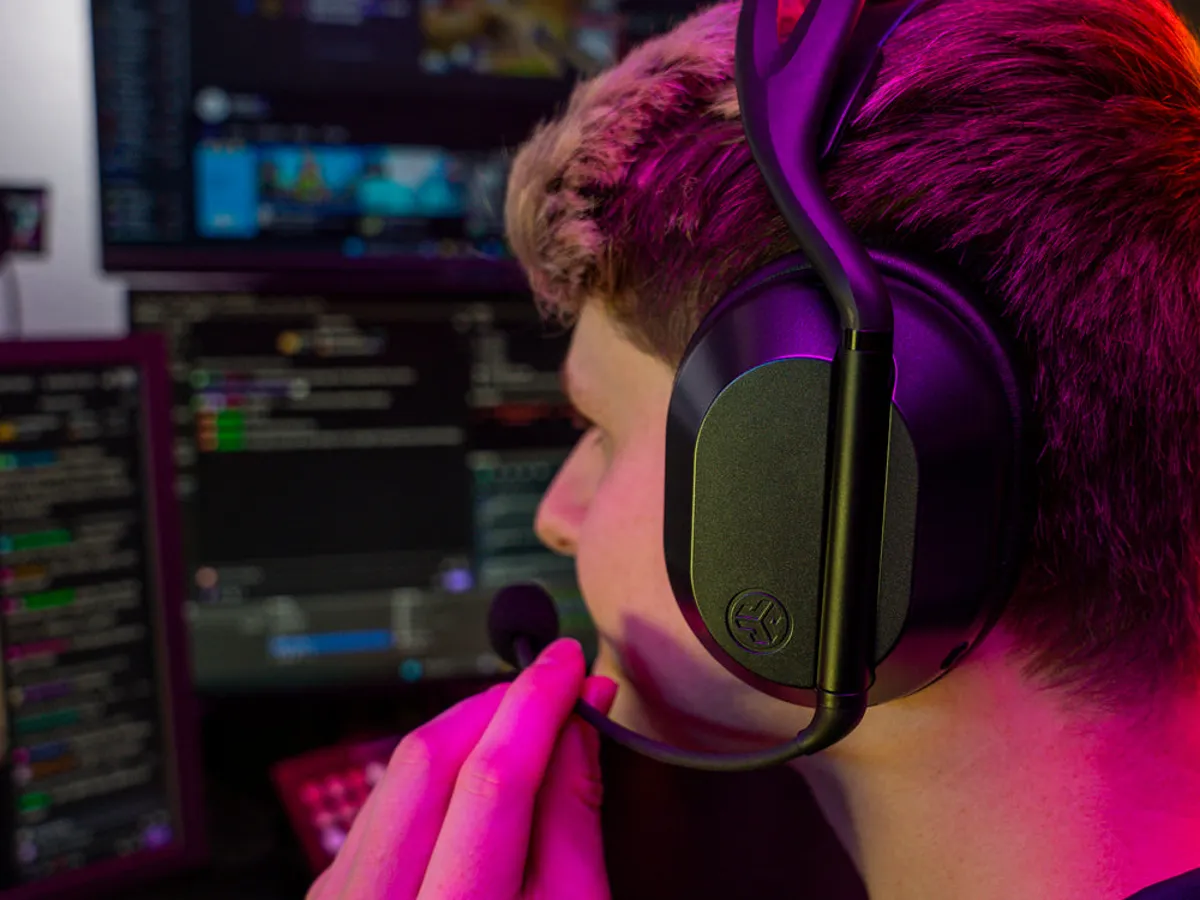
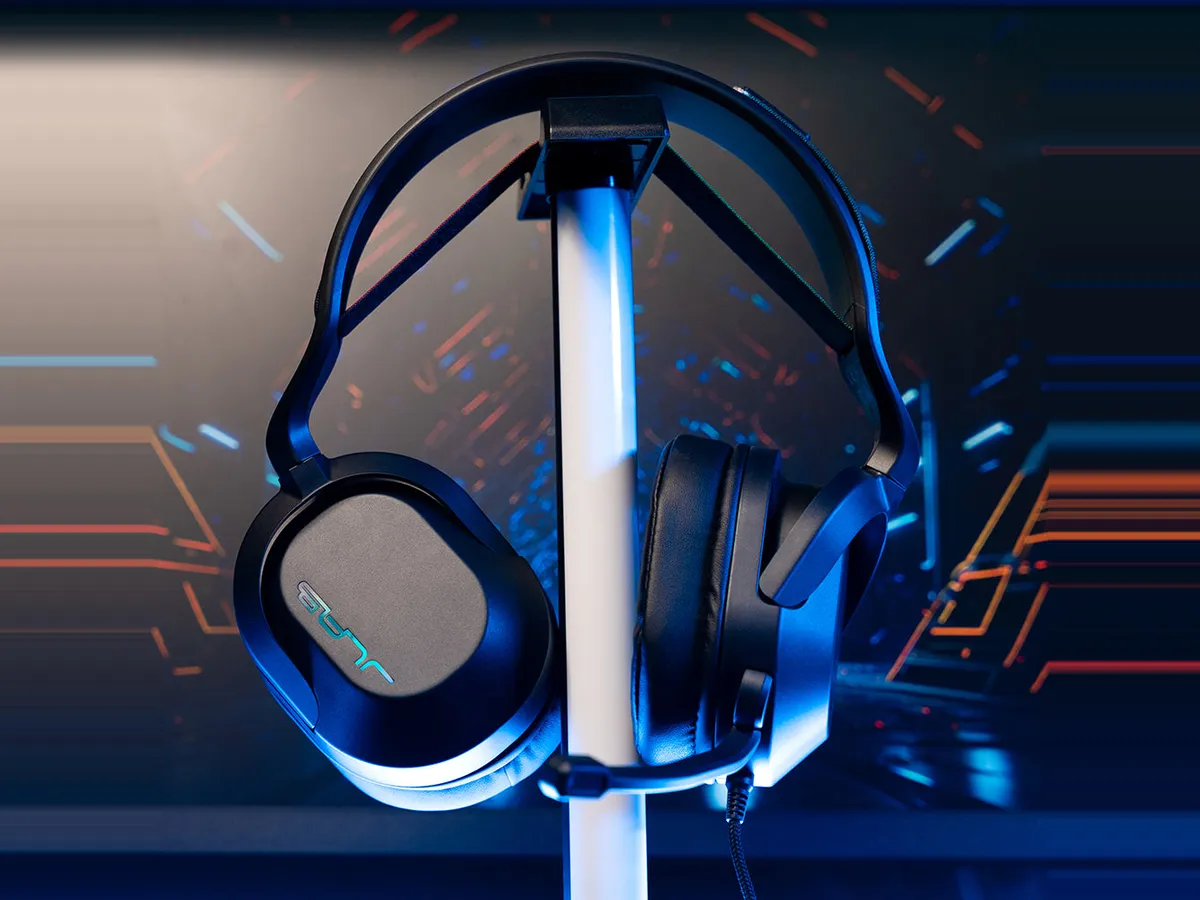
“Out of the box, JLab’s Daybreak headset is one of the most comfortable wireless headsets I’ve put on.” Gaming Trend
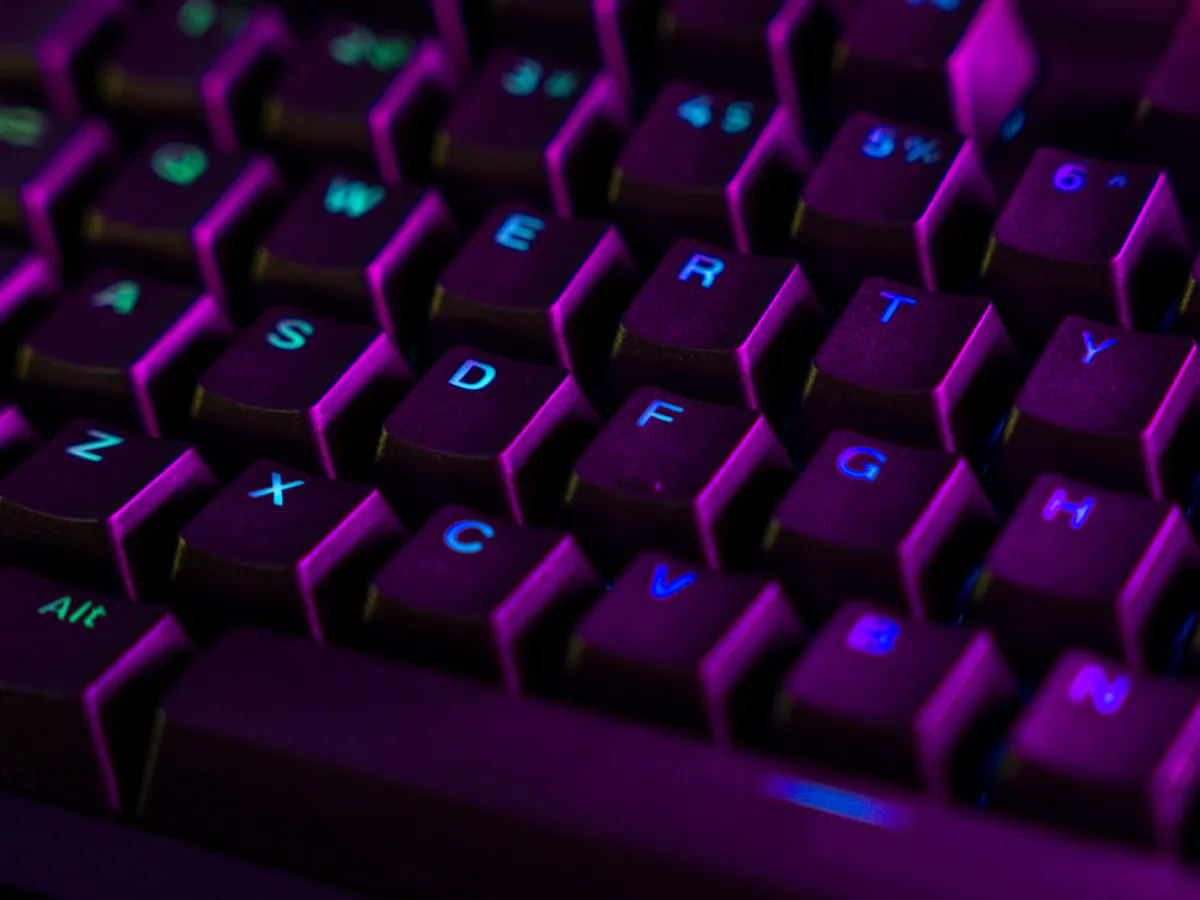
“leans cleanly into a modern, minimalist look rather than overly aggressive gamer styling” Techaeris, on the Daybreak series
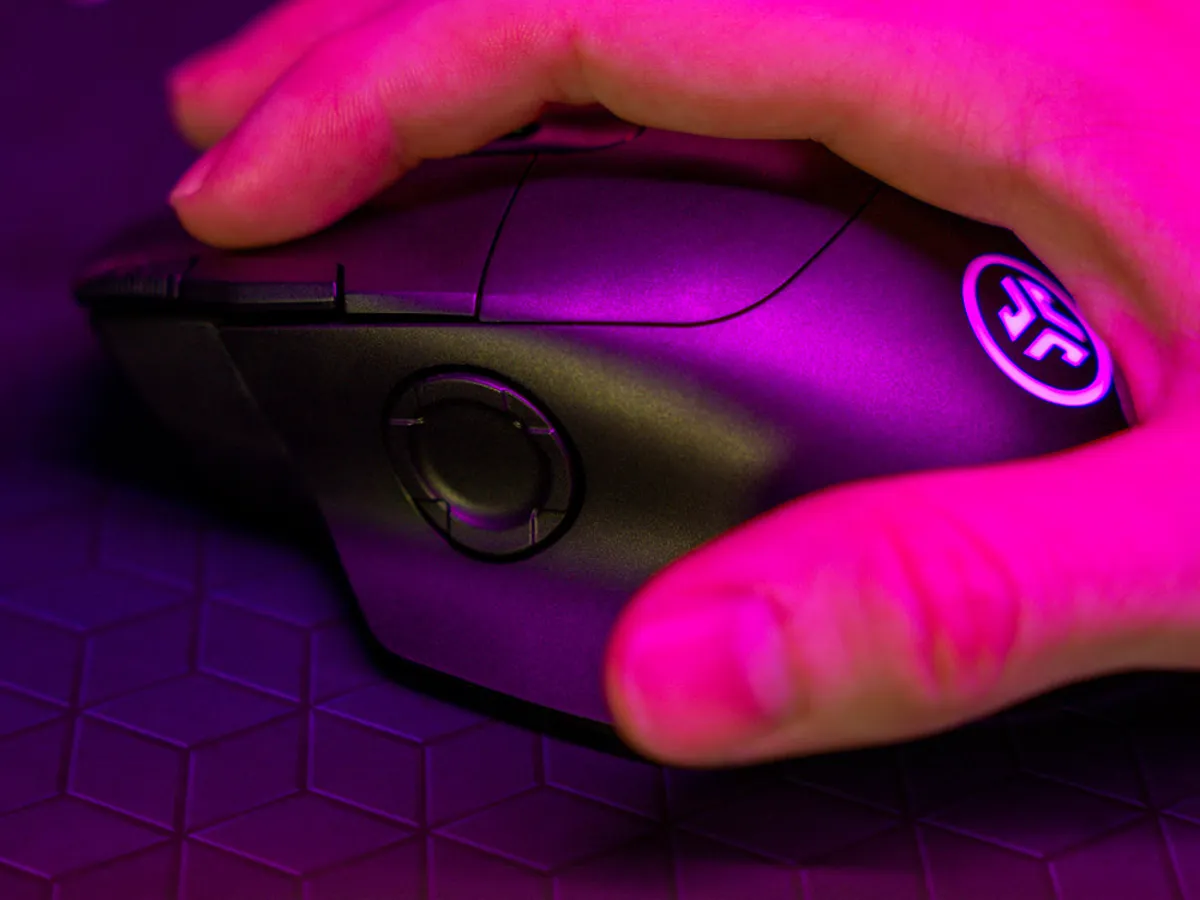
“The ergonomics are designed to fit a right-handed mouse user beautifully.” Gaming Trend
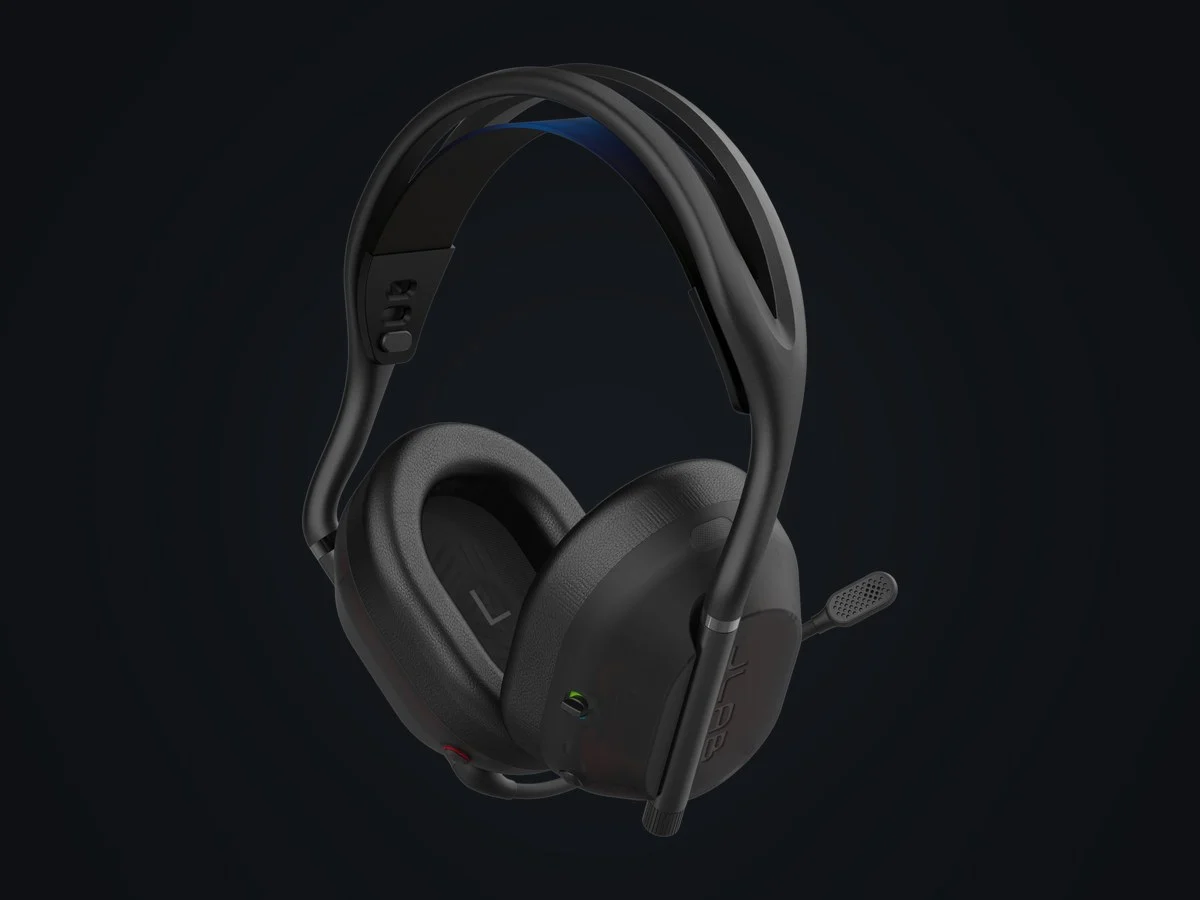
“After about 40+ hours of use, I loved how light they were and fit perfectly to my head.” CGMagazine, on the earcups
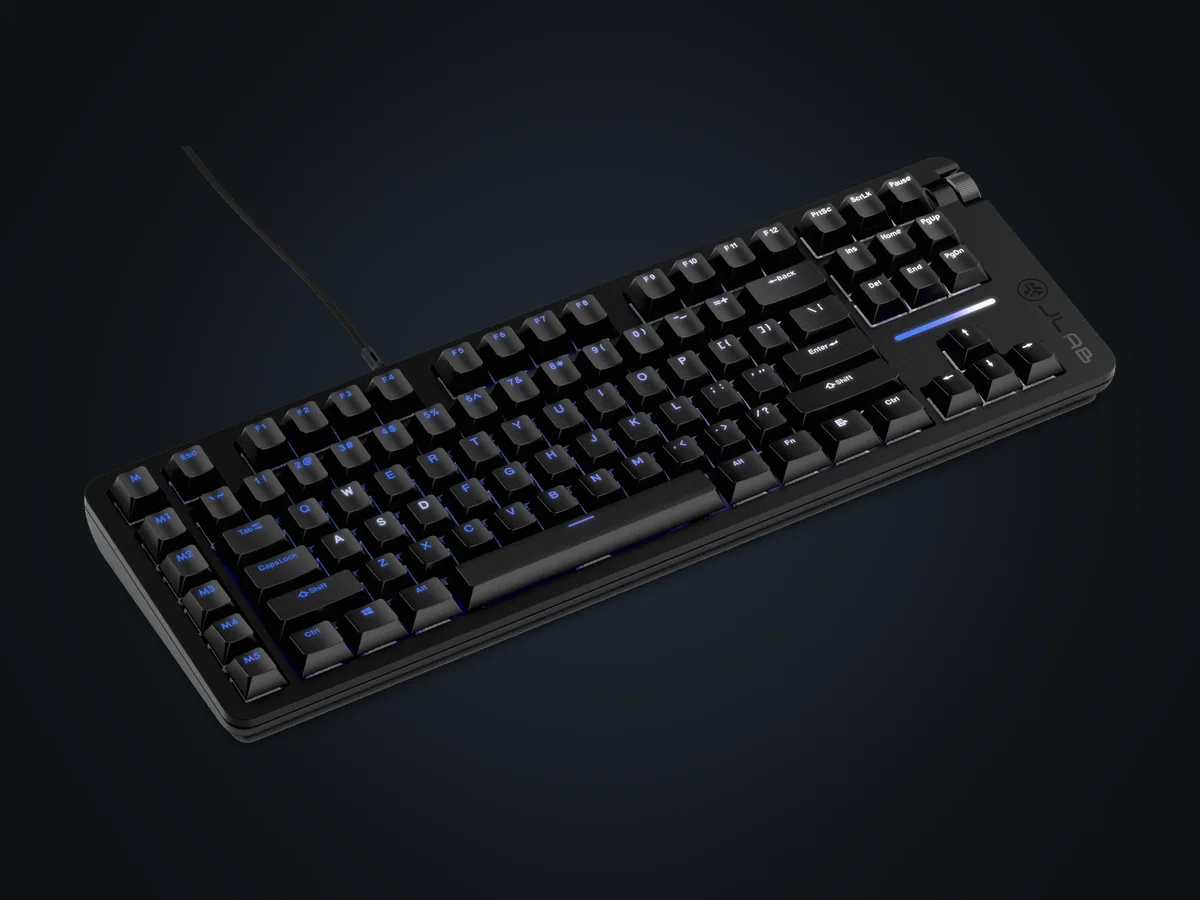
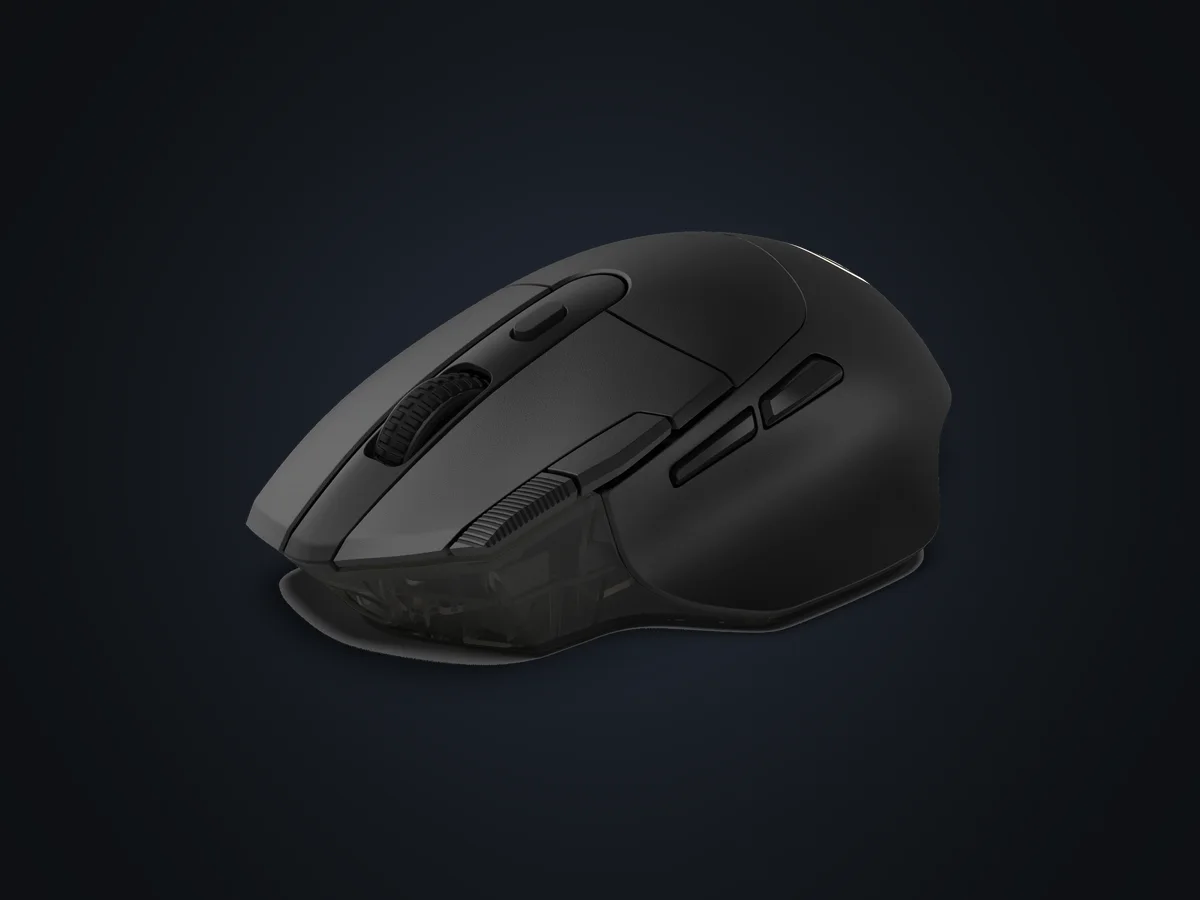
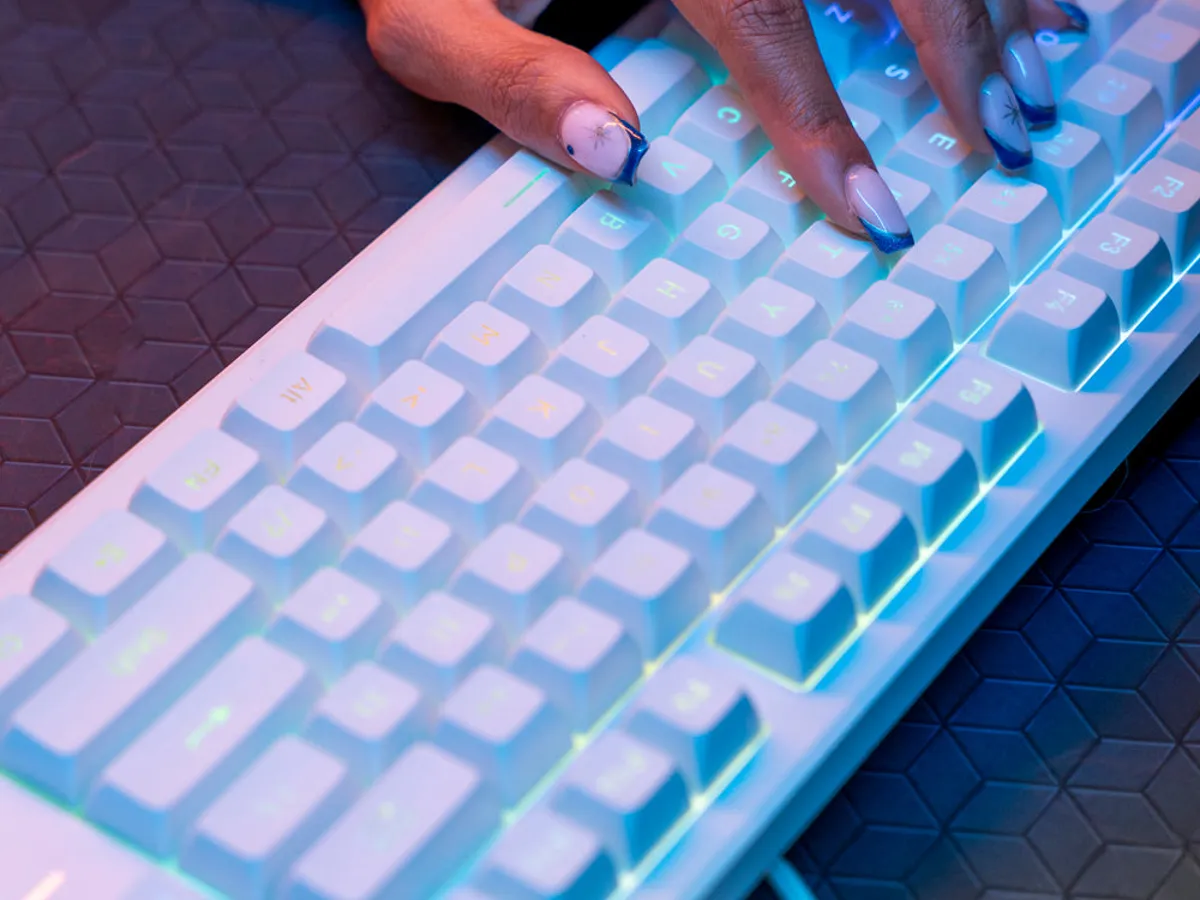
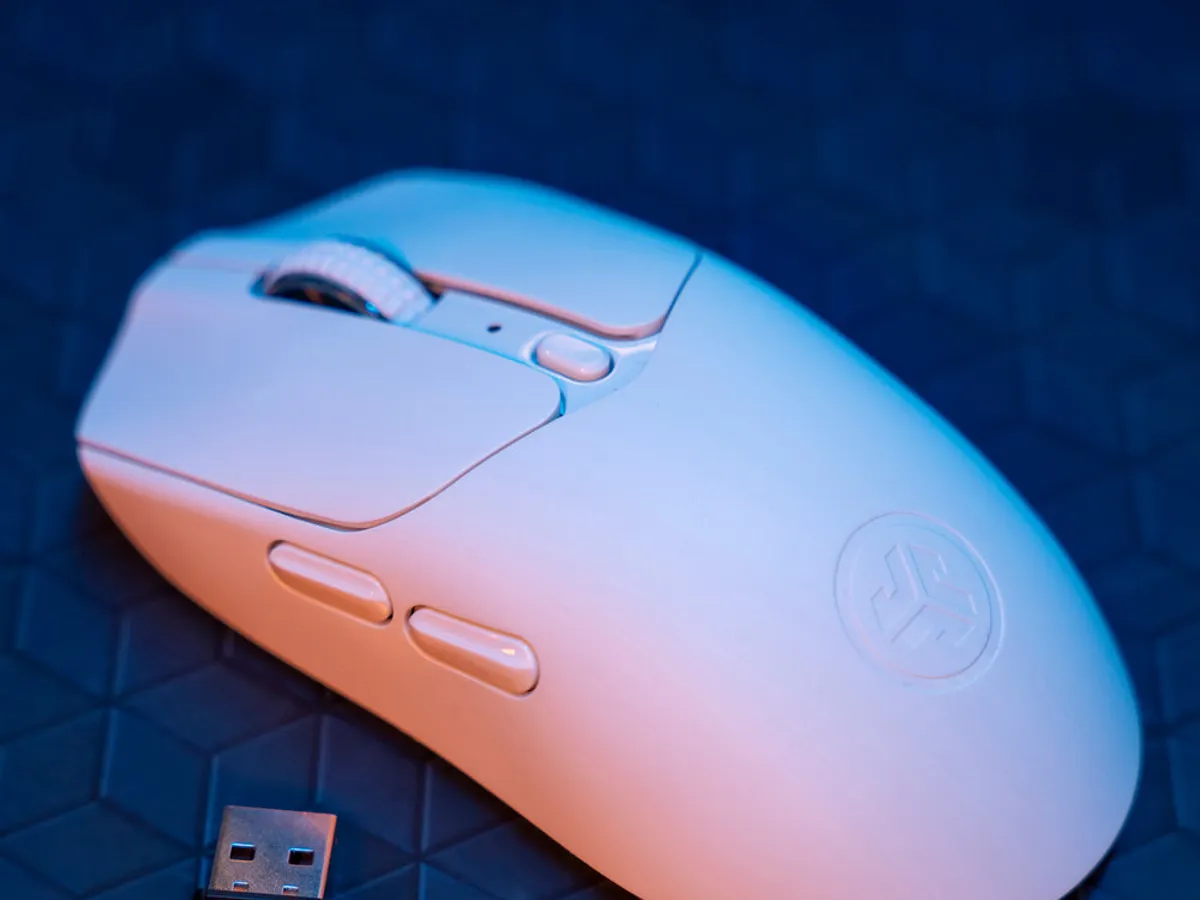
A $39.99 mouse that, at 55 g, is lighter than many so-called ultralight mice on the market that sell for hundreds.
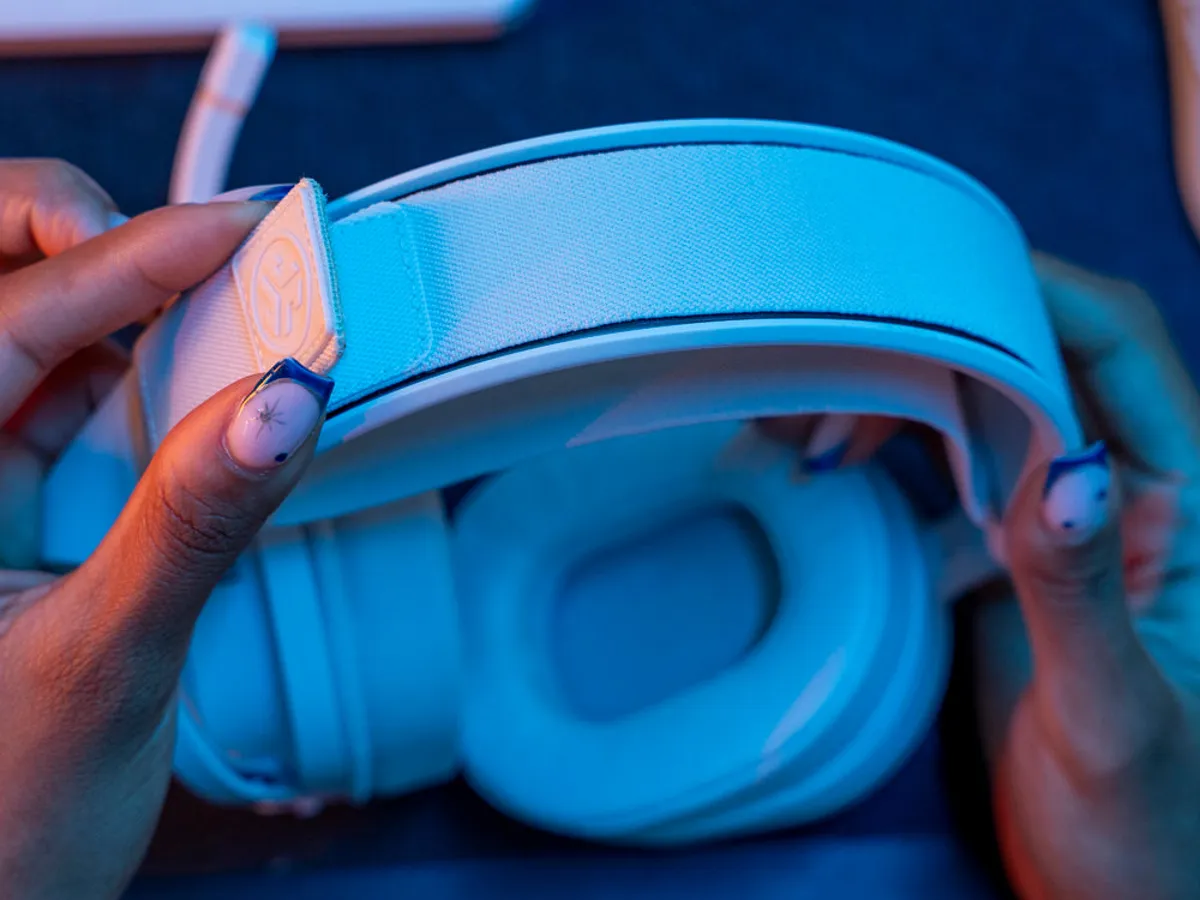
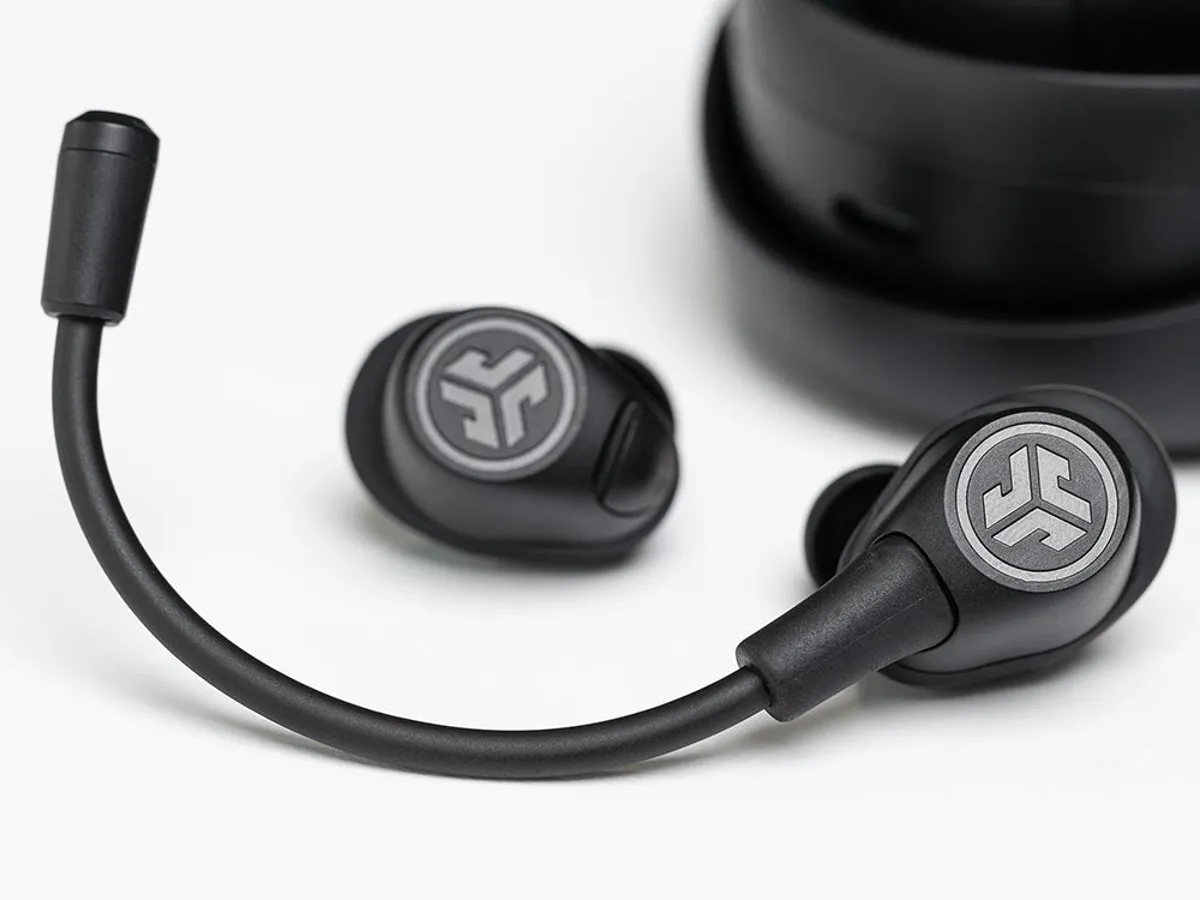
“I found the JLab Nightfall quite comfortable to wear.” SoundGuys
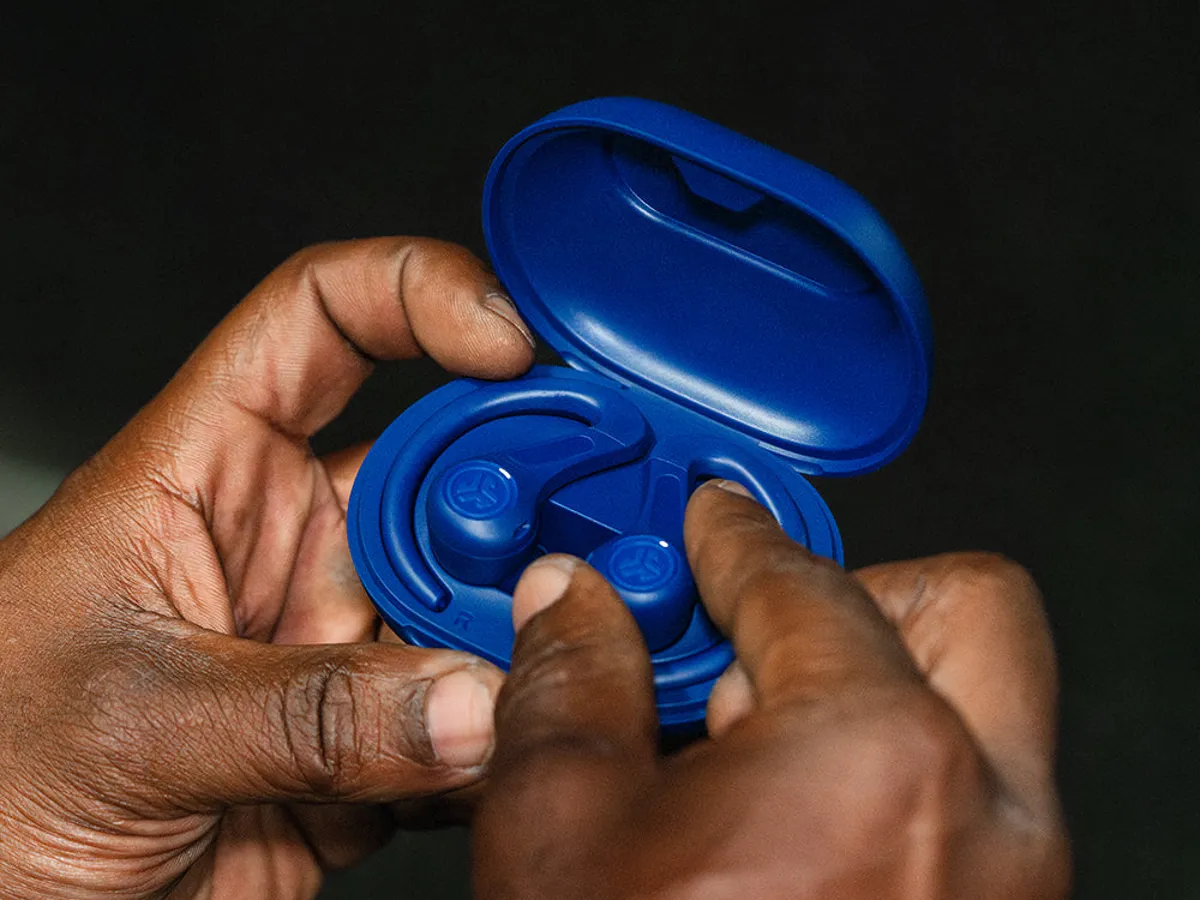
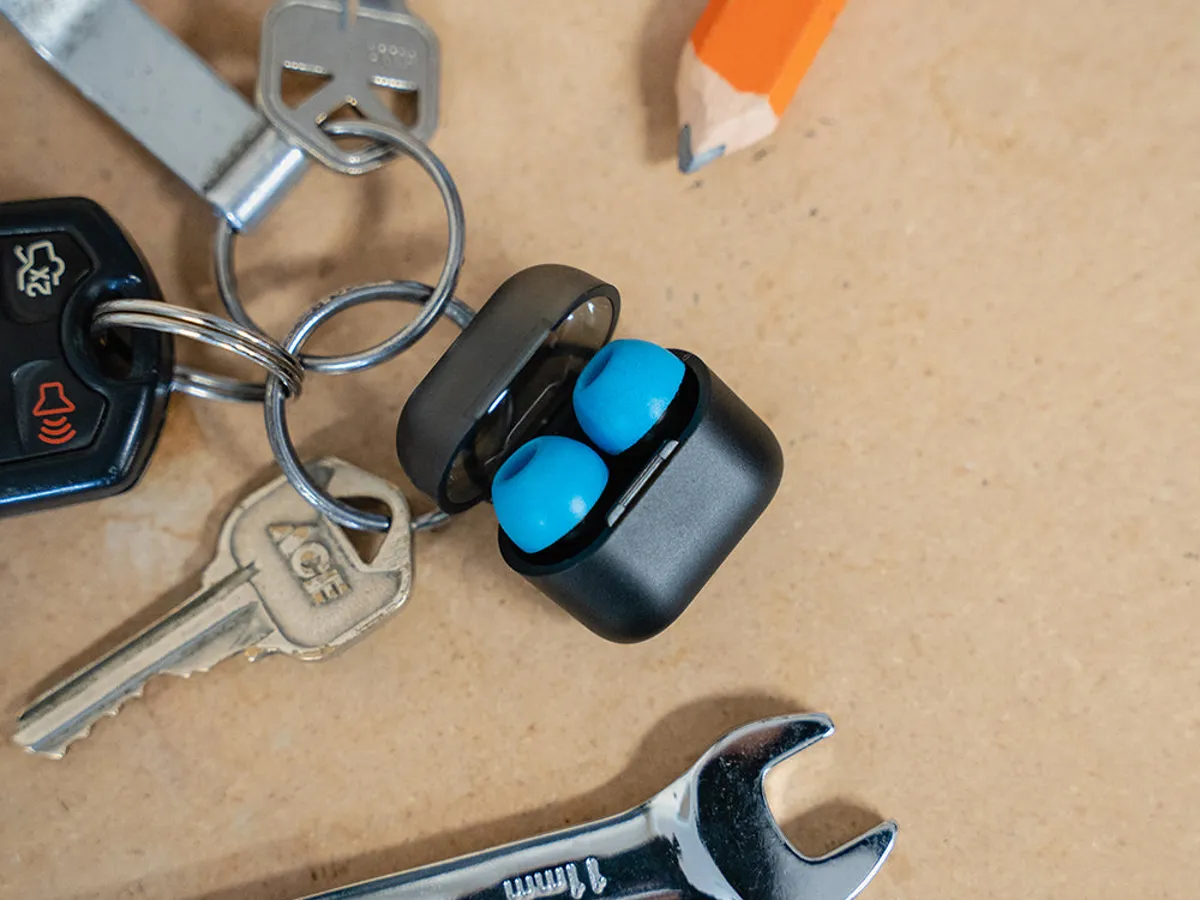
“Bargain sports buds with strong bass” Tom’s Guide
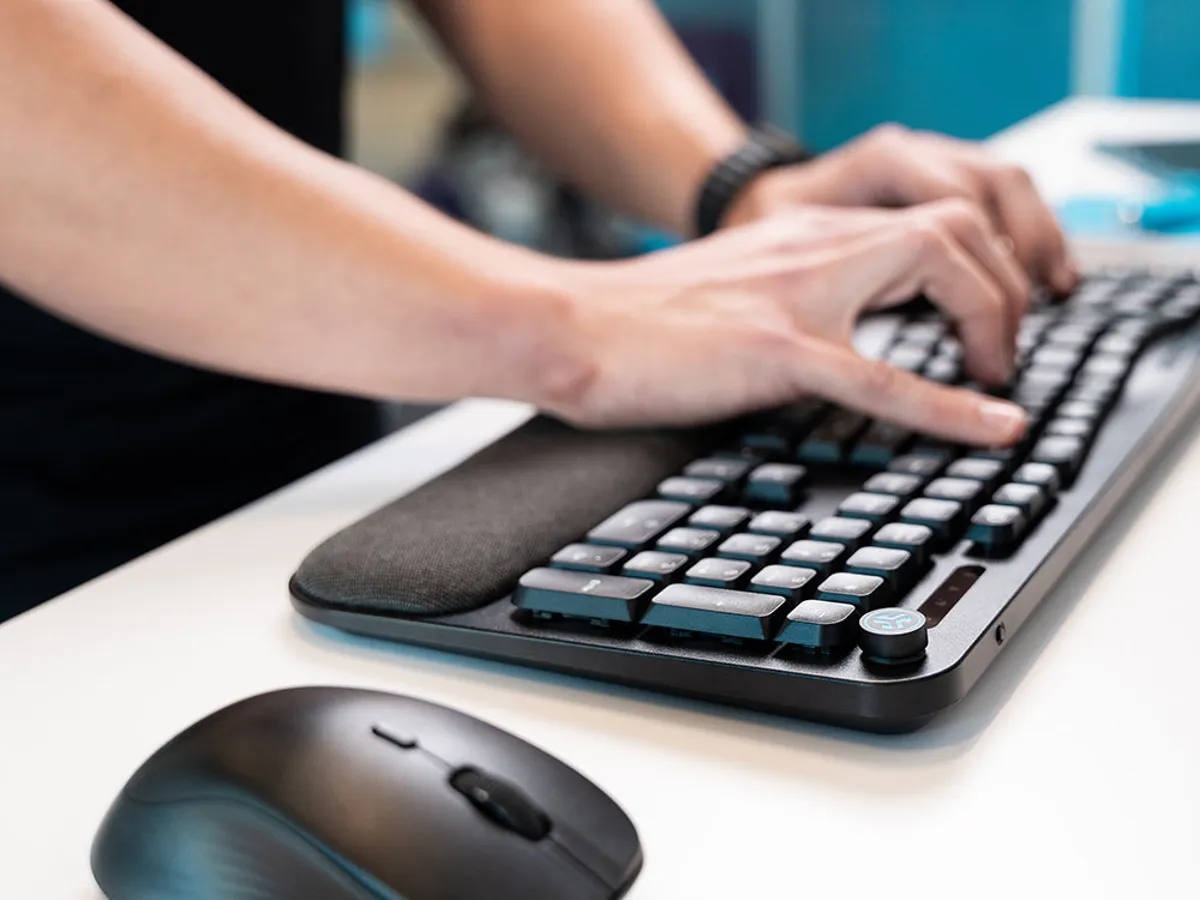
“for less than $75, this may be the most cozy typing experience I’ve ever had.” How-To Geek
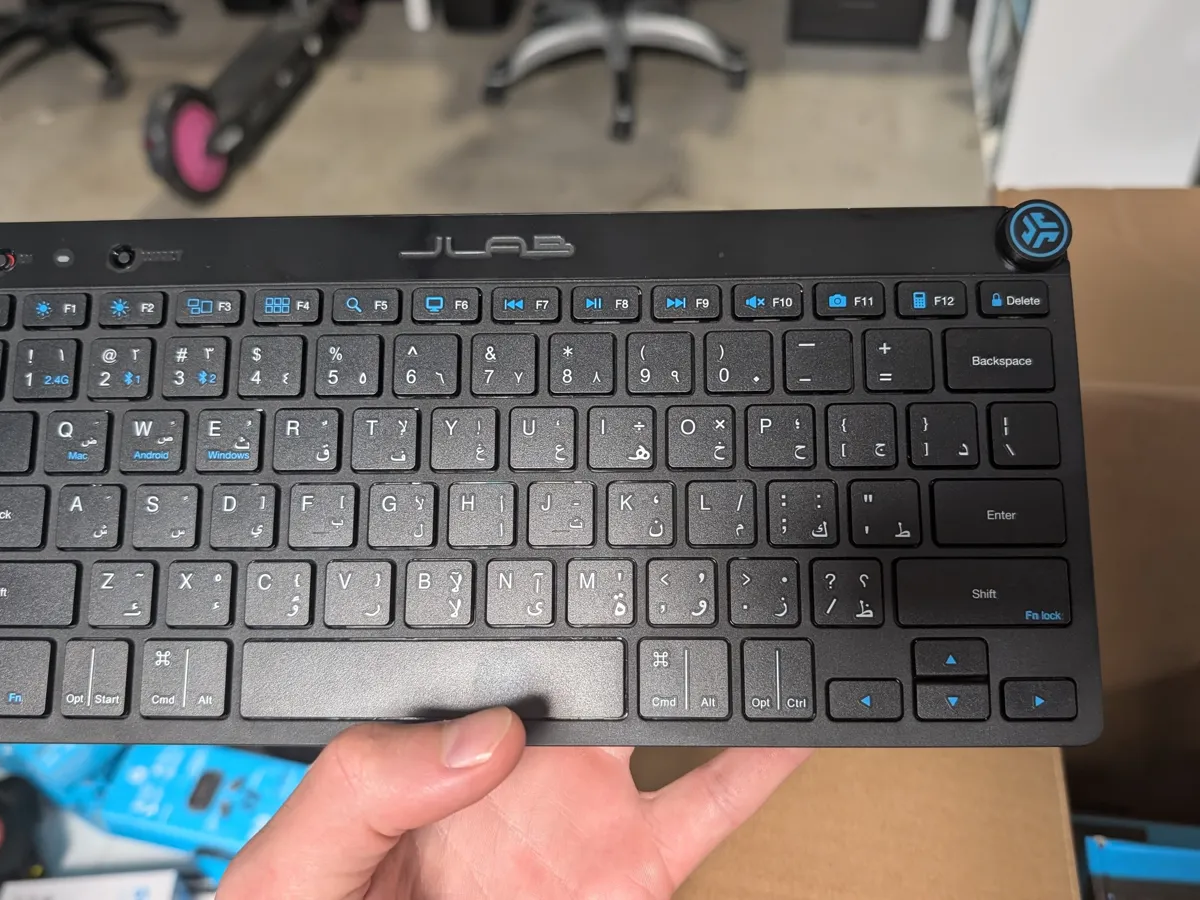
Reworking our US keyboard layouts for sale abroad. A big, unglamorous project.
International keyboard layouts
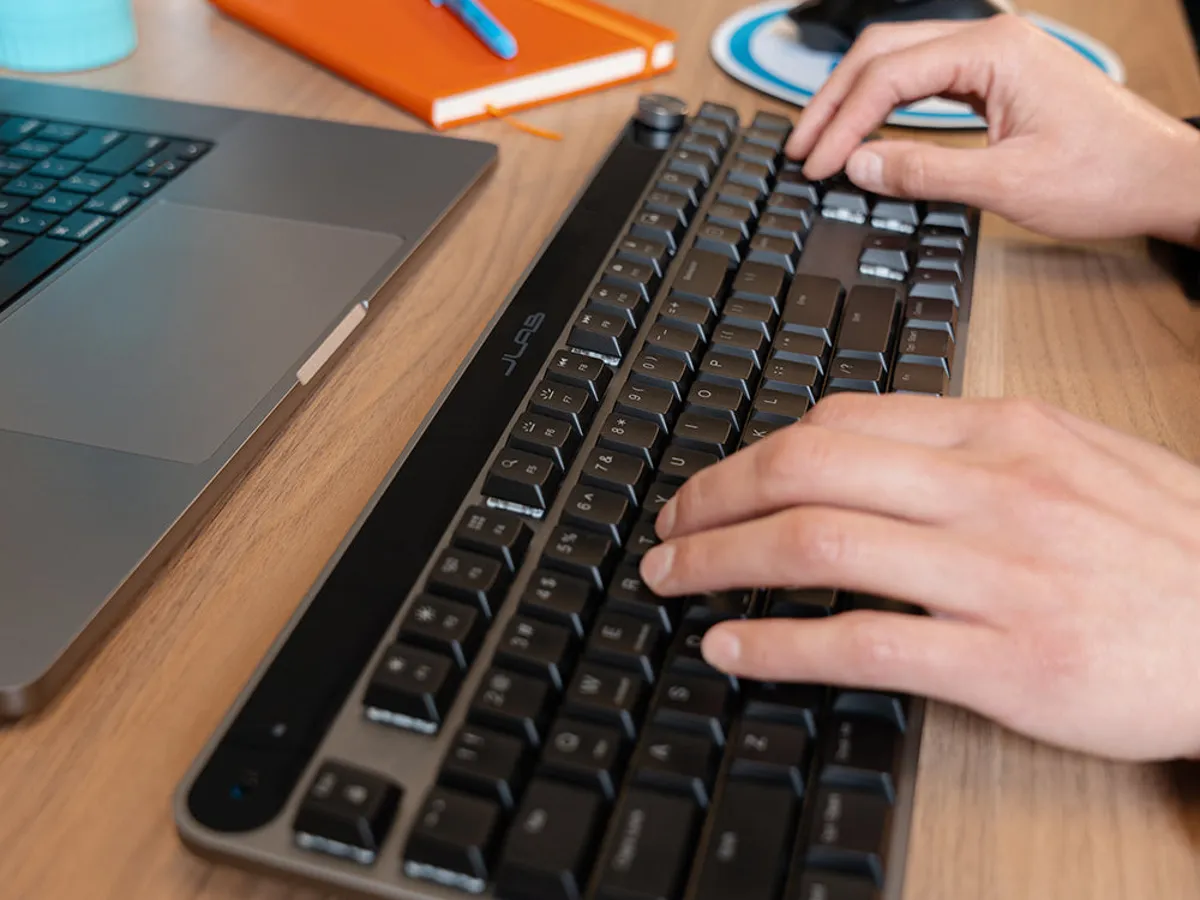
A re-implementation, in mechanical form, of the Epic Keyboard, whose design we already liked.
Its form was designed by Reed Crawford, an industrial designer at JLab; I executed its CAD and production details.
Design Integrity · 2018–2021
These were team projects, mostly led by my boss, Mark Kurth. In most, the images and the parts of the process I highlight are more mine, while the final ideas came from across the team; the ant baits’ final design is an exception.
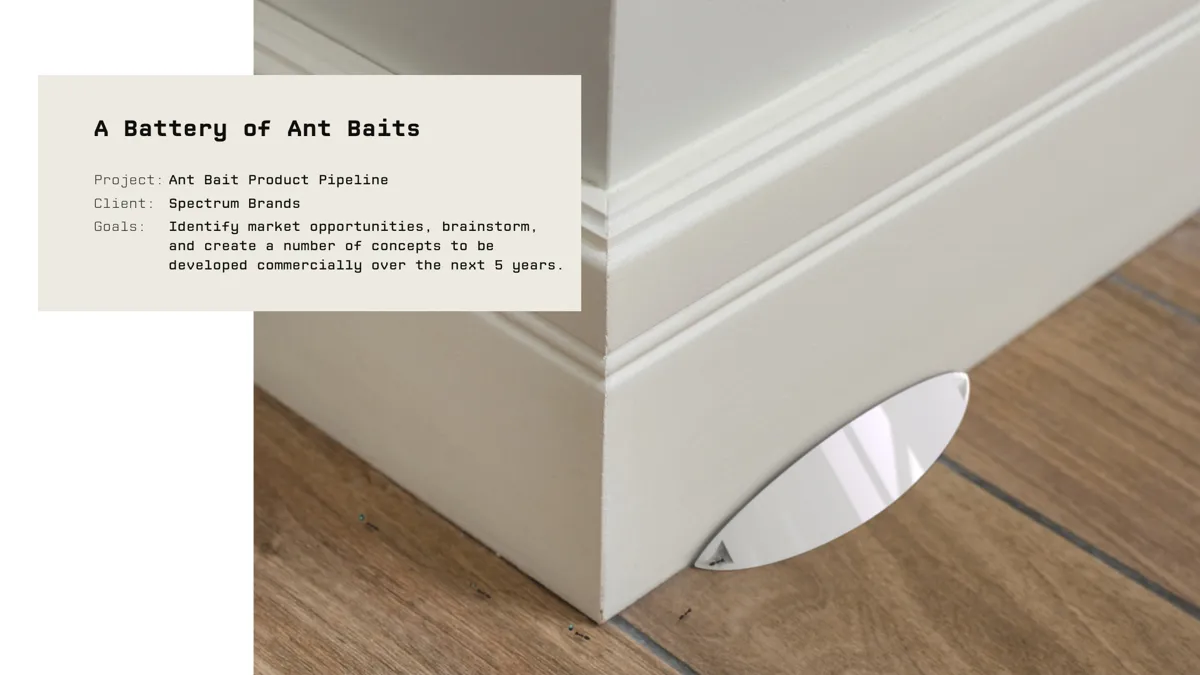
My idea for a station that blends into a baseboard became the final design and a US design patent (US D1028165).
Spectrum Brands ant baits
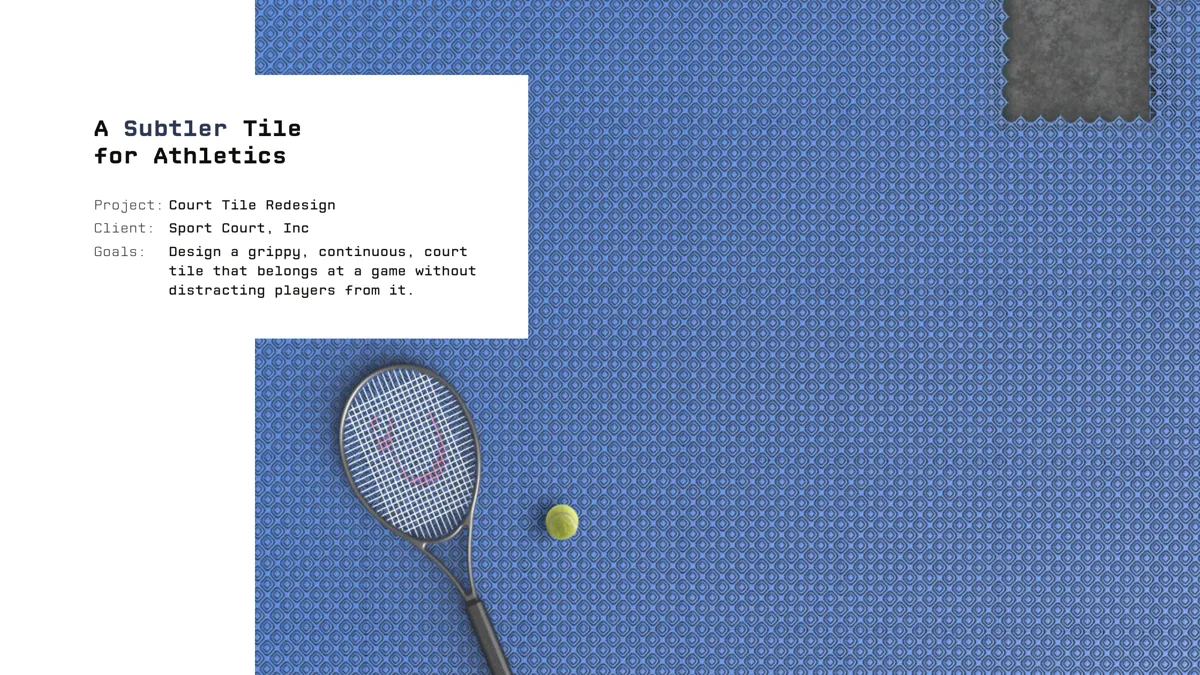
The client’s preferred concept, Pond, was mine; a more manufacturable design became the final product.
Sport Court tile
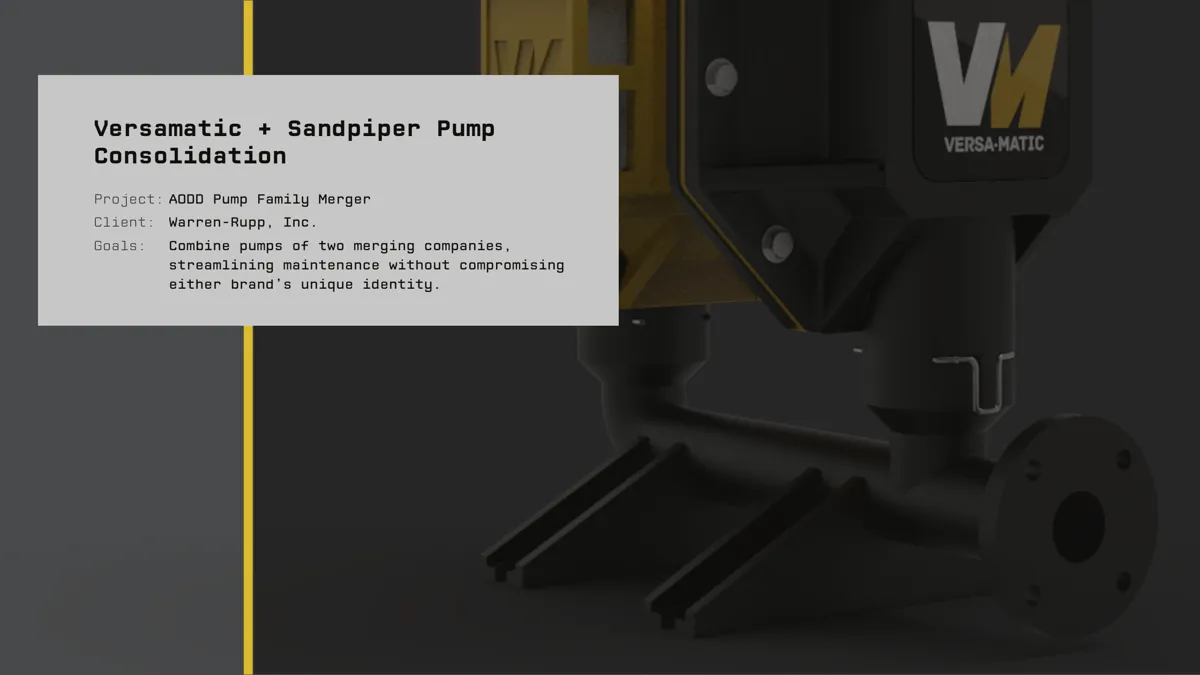
I worked on a shared pump body and maintenance details, and imagined separate branding to keep the two brands recognizable.
Warren Rupp pump family
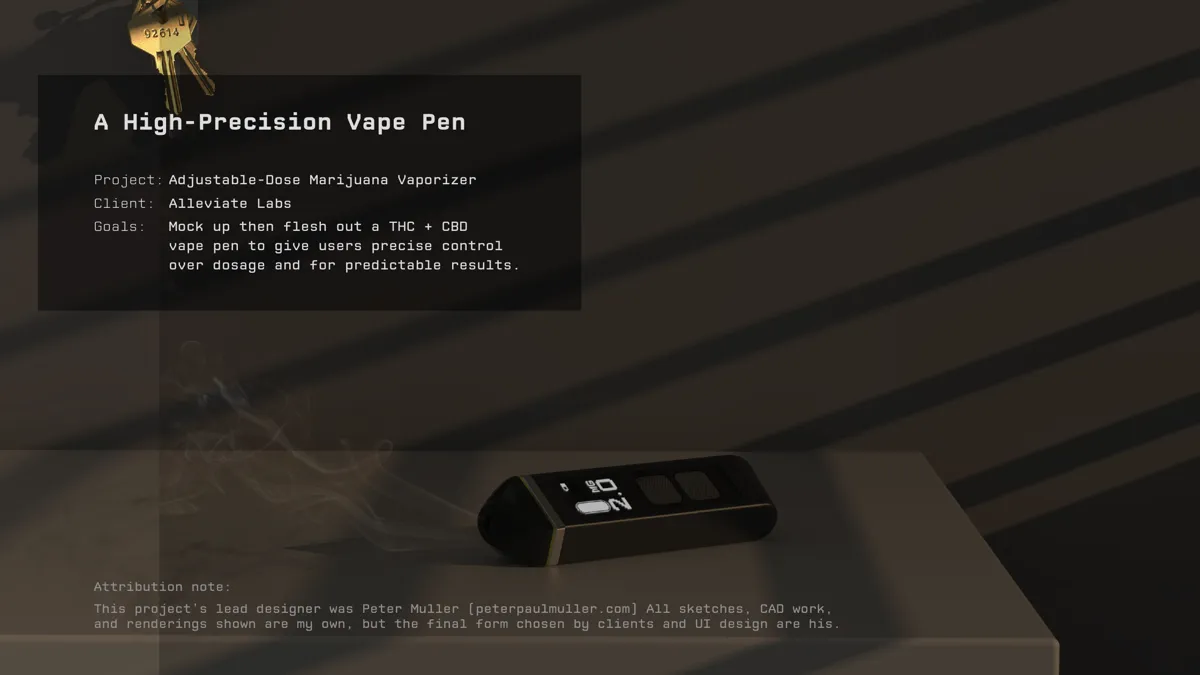
Mark Kurth led the project; Peter Muller’s design was chosen as the final one rendered here. The sketches, CAD and renderings shown are mine.
Alleviate vape pen
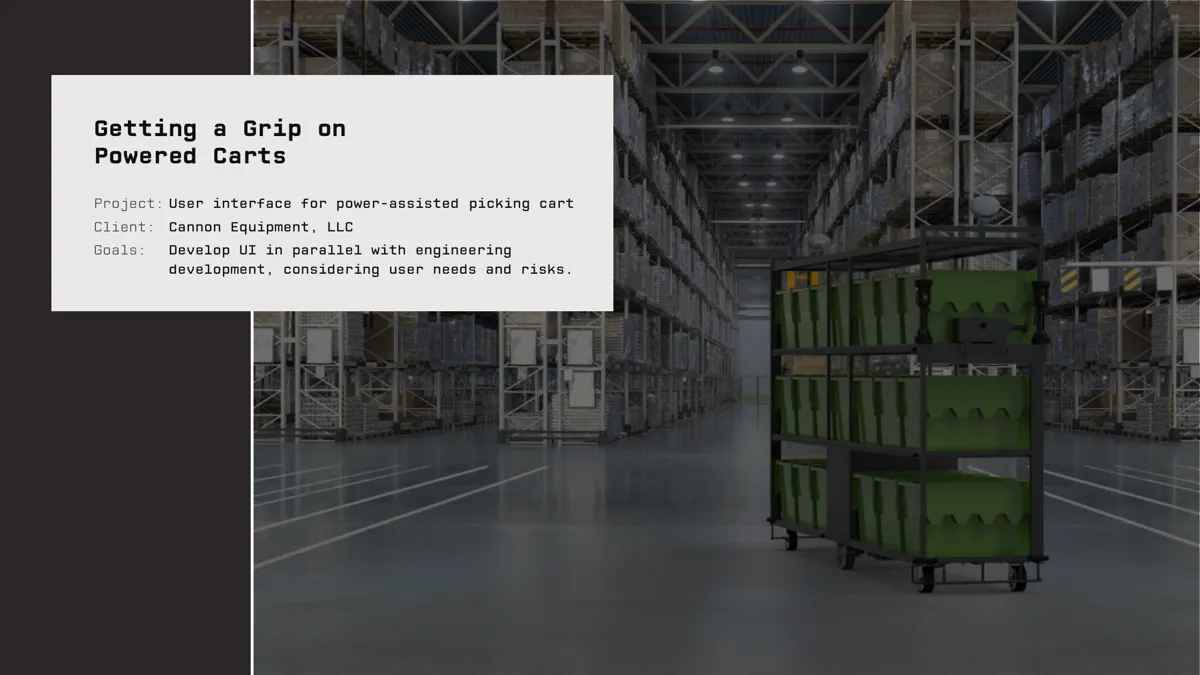
I contributed sketches and built the full-size physical prototypes; the sheath-lift control was my idea.
Cannon picking cart controls
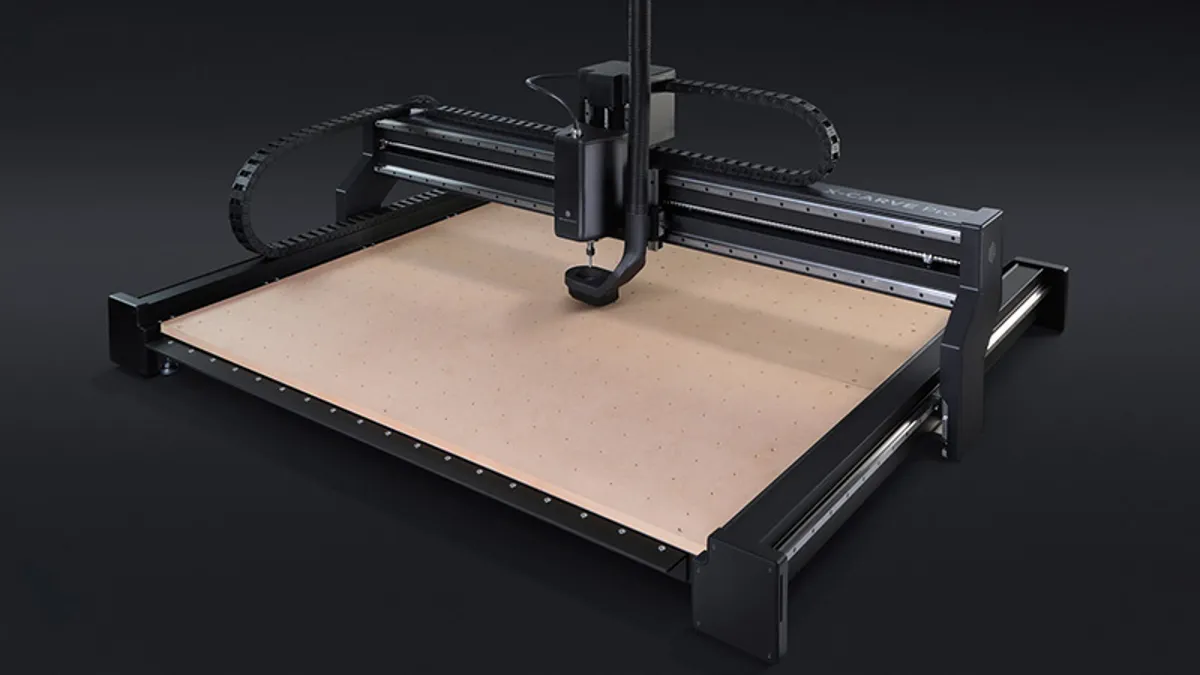
I contributed design ideation and prototype assembly; Design Integrity did the engineering, and MNML the industrial design.
Inventables X-Carve Pro
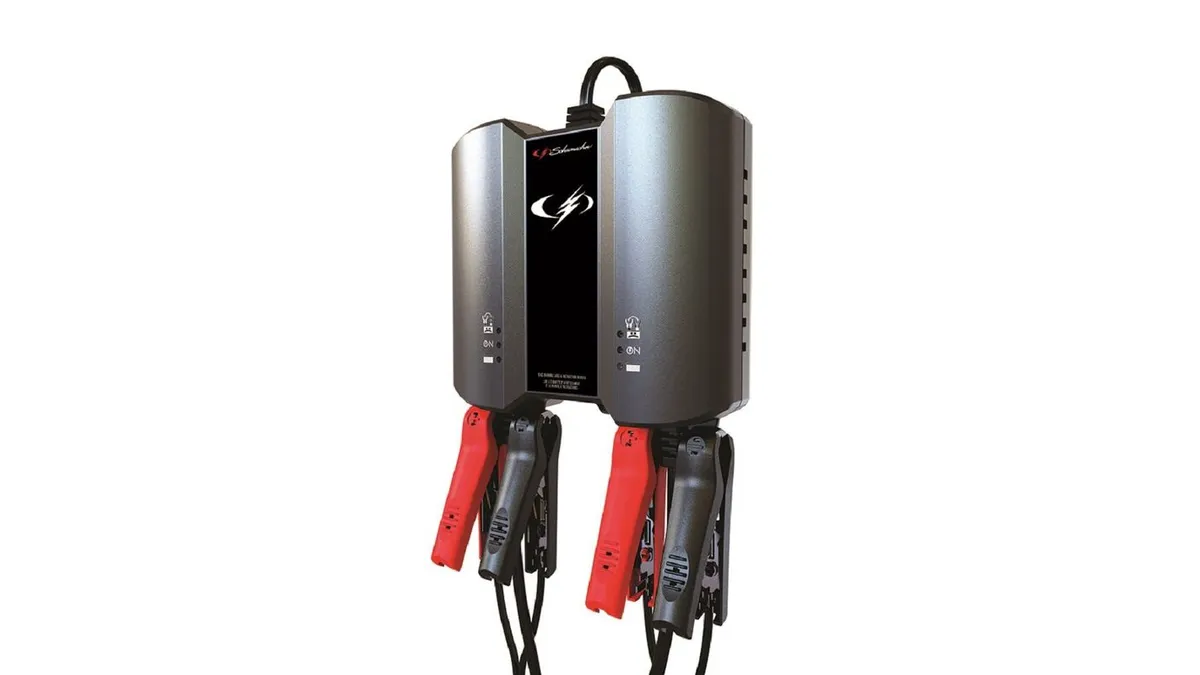
I did sketching and industrial design support; the final design isn’t mine.
About
Brian Vaughn
My first job was at a small design firmDesign Integrity, 2018–2021. Client work spanning warehouse equipment, industrial pumps, outdoor sport surfaces, home pest control, and commercial kitchen equipment.See earlier work ↑, where we used fast sketching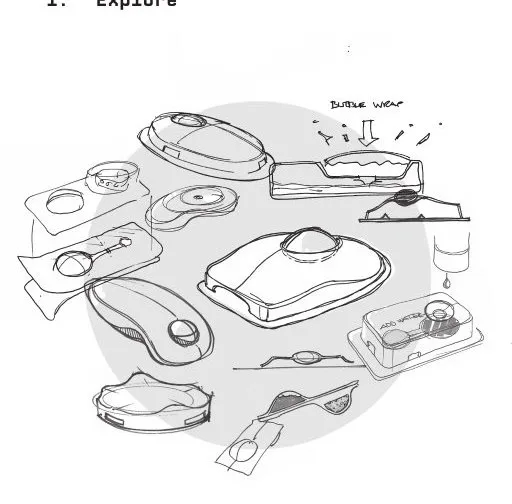 For Spectrum Brands’ ant bait pipeline, pages of quick sketches working through details and variants across thirteen concept areas.Ant baits ↑ and physical prototyping
 A mock-up of a handle for a semi-automated industrial picking cart. I spent a while on explorations like this one.Cart controls ↑ to help clients decide what to develop next
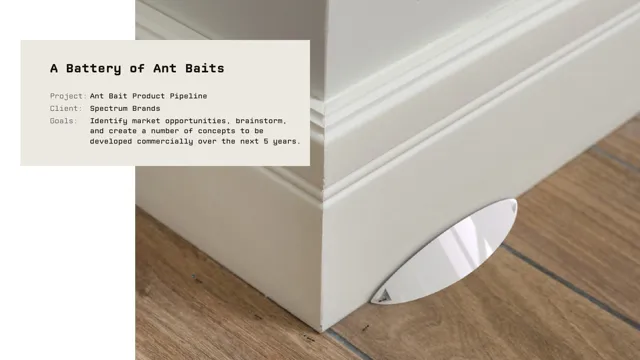 One of these started as my sketch: an ant bait station that blends into a baseboard. It became a US design patent.US D1028165 ↗The project ↑. Then I spent four years in-houseAt JLab I was the primary designer on 17 products, more than a dozen of which have gone into mass production so far.JLab Mobile ↑The Lab App ↑, staying with hardware
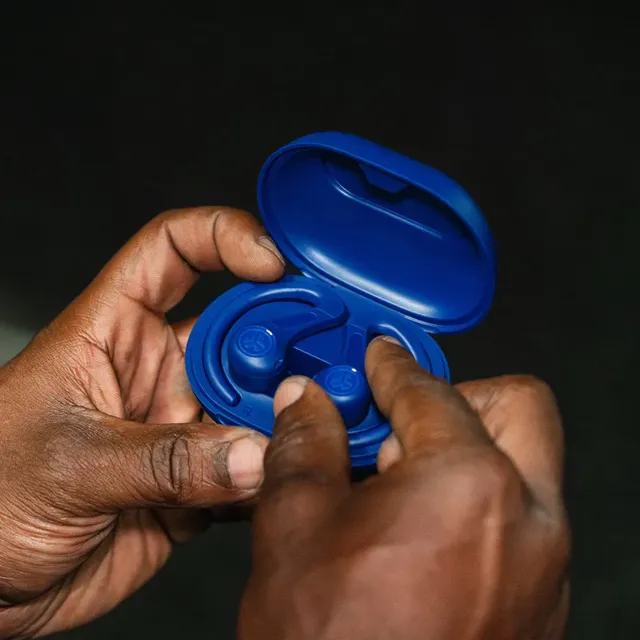 As an example, I designed JLab’s gaming line: ten headsets, keyboards, and mice across three tiers. Gaming Trend called the Daybreak headset “one of the most comfortable wireless headsets I’ve put on.”Gaming Trend ↗Techaeris ↗The line ↑ and software
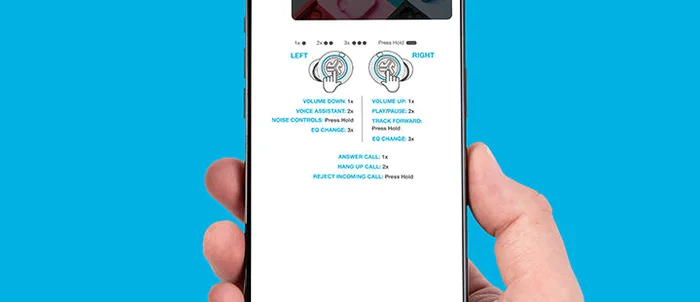 In addition to my primary work designing headphones, I designed JLab’s mobile app, then the desktop app, as side projects. The mobile app has millions of downloads, and people seem to like it. The desktop app came out this past year, and it’s nearly as complete as apps other companies have spent years building.Mobile app ↑Desktop app ↑ projects until they actually shipped.
If something here resonates, I’d love to hear from you, whether about working together or just to talk.
bri@nvaughn.info ↗@br___ian on X ↗Independent design & software experiments
JLab
Design Integrity
University of Notre Dame
Mechanical Engineering + Industrial Design